
In short
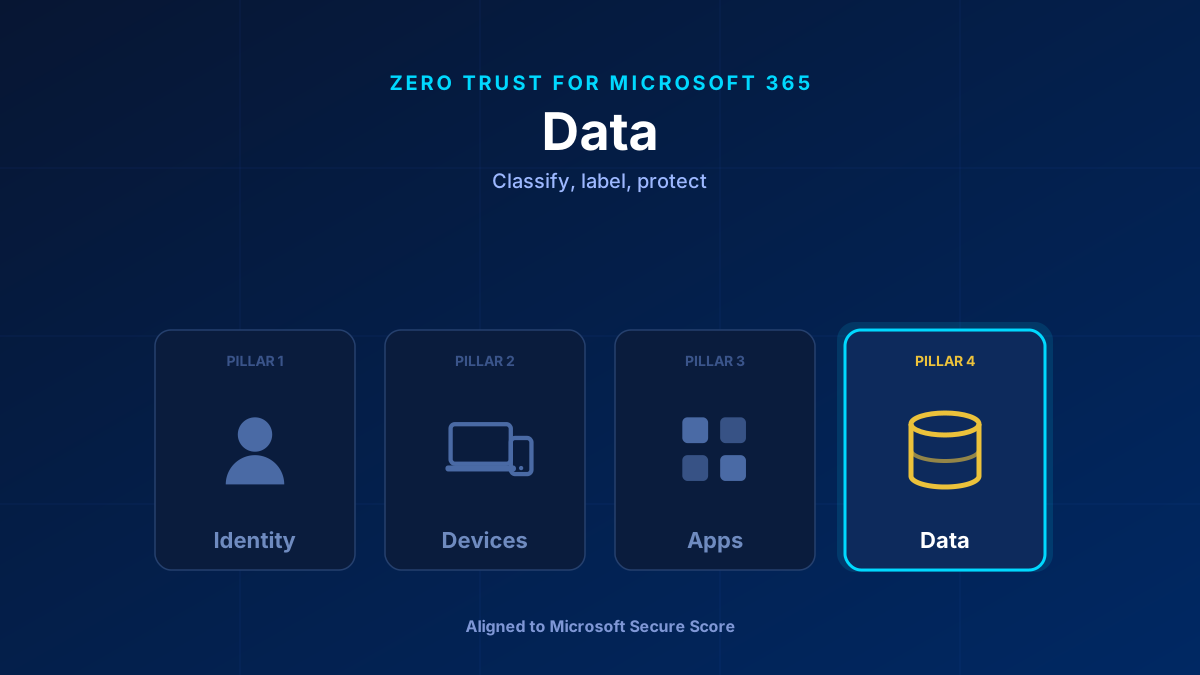
Data is what attackers are after — the other three pillars exist to protect it. Zero Trust for data means protection travels with the file, wherever it goes: into email, onto a USB drive, into a third-party app, into an AI prompt. In Microsoft 365 that is Purview: sensitivity labels that carry encryption and access rules, DLP that stops sensitive content leaving, and Data Security Posture Management that watches what Copilot can reach.
The Pillar Everything Else Protects
Identity, devices, and apps are all means to an end. Data is the end. A breach is only a breach because data left. So the data pillar asks a different question from the others: not “who gets in?” but “what happens to this file once it is out of my sight?”
The answer in Microsoft 365 is to make protection part of the data itself. A sensitivity label is not a folder permission — it travels with the document into email, into downloads, into other tenants, and enforces encryption and access rules wherever the file lands.
What Secure Score Measures Here
- Sensitivity labels published and applied.
- Data Loss Prevention policies covering the high-risk data types.
- Auto-labeling for data at rest and in transit.
- Oversharing controls ahead of Copilot rollout.
The Controls That Matter
Sensitivity labels (Purview Information Protection). A simple taxonomy — Public, Internal, Confidential, Highly Confidential — that applies encryption, watermarks, and access restrictions and persists across Office apps, SharePoint, Teams, and email. Start with manual labelling to build awareness, then automate.
Data Loss Prevention (DLP). Policy-based controls that detect and block sensitive content — card numbers, health records, custom patterns — leaving via email, Teams, SharePoint, or the endpoint. Run the policy in simulation mode first — that is the actual policy state, and “Audit only” is an action, not a state. A simulation runs for up to 15 days, so about two weeks of data is exactly what you get. Review the simulation dashboard, switch on policy tips for a pilot group, then turn it on.
Auto-labeling and trainable classifiers. Once the taxonomy holds, let service-side and client-side auto-labeling apply labels at scale, so protection does not depend on every user remembering to click.
Data Security Posture Management (DSPM). If Copilot is in the tenant, Purview DSPM shows where sensitive data meets AI workloads and surfaces the gaps before they become leaks. This is where the data pillar and Copilot readiness meet — and why you audit SharePoint permissions before enabling Copilot. Oversharing plus AI equals data leakage at scale. The earlier product, DSPM for AI, is now marked “classic” and has been replaced by this broader version, which covers AI apps and agents alongside the rest of your data estate.
How to Roll It Out
Phase one: Define and publish a small sensitivity-label taxonomy. Train users to apply it manually — adoption builds the awareness that automation later relies on.
Phase two: Create DLP policies for your highest-risk data. Start in simulation mode, review the dashboard, add policy tips for a pilot group, then turn it on.
Phase three: Turn on auto-labeling and endpoint DLP. If Copilot is deployed, turn on Purview DSPM and close the oversharing gaps first.
Common Mistakes
Enabling Copilot before auditing permissions. Copilot surfaces whatever a user can already reach. If SharePoint is overshared, Copilot turns that into instant, searchable exposure. Fix permissions and labels first.
Building a label taxonomy nobody understands. Twelve labels with sublabels and no guidance get ignored. Four clear ones get used. Purview is also moving parent labels to label groups, so plan the taxonomy against that structure.
Going straight to enforce on DLP. You will block legitimate work and lose the room. Simulate, review, communicate, then turn it on.
Glossary
- Microsoft Purview
- Microsoft's data governance and compliance platform — sensitivity labels, Data Loss Prevention, and retention.
- Sensitivity label
- A classification that travels with a document or email and applies encryption, watermarks, and access rules wherever the file goes.
- Data Loss Prevention (DLP)
- Policy-based detection and blocking of sensitive content leaving via email, Teams, SharePoint, or the endpoint.
- Auto-labeling
- Automatic application of sensitivity labels to data at rest and in transit using trainable classifiers, rather than relying on manual tagging.
- DSPM
- Microsoft Purview Data Security Posture Management — monitors how sensitive data interacts with Copilot, other AI tools, and the rest of your data estate, and surfaces coverage gaps. Replaces the classic DSPM for AI.
Frequently Asked Questions
What does the Data pillar cover in Zero Trust for Microsoft 365?
Protecting the data itself so it stays protected wherever it moves. In Microsoft 365 that means Purview sensitivity labels (which carry encryption and access rules with the file), Data Loss Prevention, and auto-labeling — plus Purview DSPM when Copilot is in play.
How do sensitivity labels differ from SharePoint permissions?
Permissions control access to a location; a sensitivity label travels with the file. Once labelled, a document keeps its encryption and access rules even after it is downloaded, emailed, or moved to another tenant — which permissions alone cannot do.
What should I do about data security before enabling Copilot?
Find the overshared sites first — Purview DSPM data risk assessments and the SharePoint Advanced Management Content Management Assessment both do that job. While you remediate, apply the interim controls Microsoft's own blueprint calls for: Restricted Content Discovery to keep high-risk sites out of Copilot discovery, and a Purview DLP policy scoped to the Microsoft 365 Copilot location to keep sensitive content out of grounding. Then fix the permissions themselves and publish and apply sensitivity labels. Copilot exposes whatever a user can already reach, so unmanaged oversharing becomes instant, searchable exposure.
