
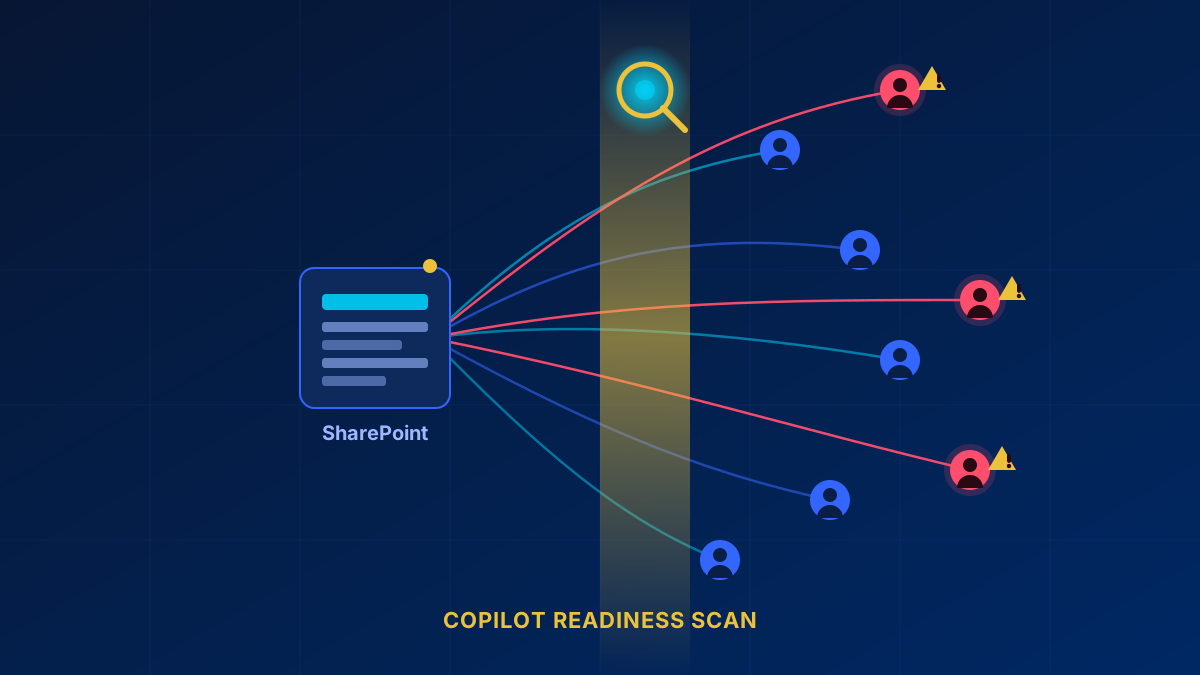
A SharePoint permission audit before Copilot goes live is not optional — it is the difference between a controlled rollout and a data leak waiting to happen. For years, administrators relied on fragile PowerShell scripts that broke after every module update. The new Data Access Governance report in the SharePoint admin center changes that equation entirely: it surfaces overshared sites, external sharing violations, and permission anomalies in a single dashboard, without writing a single line of code.
PowerShell is not the legacy fallback here, though — it is a first-class path. Start-SPODataAccessGovernanceInsight generates the same DAG reports, handles up to 100 users per request for the user report, and is the only way to run the item-level "Everyone except external users" report (-ReportEntity EveryoneExceptExternalUsersForItems). That one needs Microsoft.Online.SharePoint.PowerShell 16.0.27215.12000 or later and the SharePoint Advanced Management Administrator role.
Copilot is incredibly helpful, but it’s also brutally efficient at finding exactly what a user has access to—even if they shouldn't. If your permissions are a mess, Copilot will happily summarize the CEO's confidential restructuring plans for an intern. We need a solid Zero Trust foundation, not a "Zero Trust Bullshit Wall" built on hope and forgotten sharing links.
Enter the "Site Permissions for Users" Report
Thankfully, Microsoft has recognized this critical need. They have introduced a native, built-in solution within the SharePoint Admin Center under the Data Access Governance section. The new "Site permissions for users" report is a massive leap forward in securing our tenants.
Instead of wrestling with code, administrators can now generate a clear snapshot of exactly what a specific user can access. One detail that catches people out on the first run: when you create the report you have to pick a Scope — either SharePoint or OneDrive, not both. Covering a whole tenant means two runs. The same split applies in PowerShell, where you set -Workload SharePoint or -Workload OneDriveForBusiness.
What Makes This Report So Powerful?
This isn't just a basic list of sites. The granularity is where the real value lies. The report breaks down access into crucial categories:
- Direct Access vs. Indirect Access: It distinguishes between items shared directly with the user and those they can access because they belong to a specific security group.
- Site Level vs. Item Level: It clarifies if the user is a full member of a site or if they only have access to a few specific files buried within it.
- Sensitivity Labels: It displays the Microsoft Purview Information Protection sensitivity label applied to each site, in the CSV column Site Sensitivity, giving you immediate context on the risk level. Note that this is the site label, not the label on individual files — for that there is a separate "Sensitivity label for files" report.
"The report captures the permission state of given user(s) at a specific point in time, giving you a complete overview of sites accessible to these users along with the extent of access." - Microsoft Learn
The Licensing Rule Nobody Reads
Here is the part worth knowing before you budget for anything. These Data Access Governance reports are part of the premium SharePoint Advanced Management (SAM) add-on — and Microsoft documents three ways to get it, one of which most organizations already have without realizing it.
If your organization has assigned at least one Microsoft 365 Copilot license to any user — that user does not need to be a SharePoint administrator — your SharePoint administrators automatically receive SAM capabilities to support your Copilot deployment. The other two routes: a subscription that includes SharePoint K, P1, or P2 plus the SharePoint Advanced Management Plan 1 add-on, or Microsoft 365 E7, which includes Copilot and therefore SAM. Microsoft clearly understands that you cannot safely deploy Copilot without first cleaning up your permission structure, so it hands you the tools with the license.
What you do not get from E5 alone: Microsoft is explicit that E5 without SAM can reach Data access governance reporting, but not the other SAM features, and that "the reports don't provide snapshot reports or remedial actions. Activity reports are available but can return only up to 10,000 sites." Since "Site permissions for users" is a snapshot report, it is genuinely out of reach without SAM — but the sharing-links and EEEU activity reports are not. Without SAM you also have to enable data collection first, data is kept 28 days, reports appear 24 hours after you enable collection, and collection pauses if you go three months without generating a report.
Limitations to Keep in Mind
The tool does have guardrails, and two prerequisites that decide whether it runs at all:
- The organization-wide Site permissions report must have been generated at least once before you can run this one.
- Reports capture data from up to 48 hours before generation — the CSV's Report Date column carries the same caveat. Fix permissions, wait 48 hours, then re-run. Changes you made this morning will not show up.
- You can have up to five reports in total.
- Reports can only be regenerated for a specific user every 30 days.
- The downloadable CSV export has a limit of 1 million sites.
- You need a base subscription — Office 365 E3/E5/A5 or Microsoft 365 E1/E3/E5/A5 — plus the SharePoint Administrator role, and the SharePoint Advanced Management Administrator role for parts of it.
Actionable Next Steps
If you are planning a Copilot rollout, or even if you just want to sleep better at night knowing your data is secure, this report is your new best friend. Use it during offboarding processes, for routine security audits, and absolutely before handing an AI assistant the keys to your tenant.
Stop guessing who has access to what. The permission audit is one piece of a broader Zero Trust strategy. For the identity side, see the Microsoft Entra Suite deployment guide. And if you discover orphaned sites during your audit, the ghost hunting guide covers the cleanup process.
Frequently Asked Questions
Do I need SharePoint Advanced Management for the permission report?
For the "Site permissions for users" report, yes — it is a snapshot report, and snapshot reports need SAM. But SAM is not part of Microsoft 365 E5. Microsoft's own wording: "SharePoint Advanced Management is included with your Microsoft Copilot license. For E3 and E5, this requires the Copilot add-on. For E7, Copilot (and therefore SAM) is included." So you get SAM if at least one user holds a Microsoft Copilot license, or your subscription includes SharePoint K/P1/P2 and you buy the SharePoint Advanced Management Plan 1 add-on, or you have Microsoft 365 E7. E5 on its own does not qualify — though it does get you the activity reports (sharing links, EEEU) up to 10,000 sites. Beyond that, you fall back to PowerShell. Microsoft's own DAG cmdlets live in Microsoft.Online.SharePoint.PowerShell; PnP PowerShell is a community project and is not documented on Microsoft Learn, so treat it as unsupported tooling rather than the official fallback.
Will Copilot surface data that users should not see?
Copilot respects existing SharePoint permissions. It will not grant access to content a user cannot already reach. The problem is that many tenants have years of accumulated oversharing — sites shared with "Everyone except external users," broken inheritance, or guest links that were never revoked. Copilot simply makes those existing gaps visible faster, because it actively searches across all content the user has access to.
How often should I run a SharePoint permission audit?
At minimum, run the Data Access Governance report quarterly and during every employee offboarding. Before any Copilot rollout, run it against every site collection in the tenant. Ongoing, set up alerts for new "Everyone" sharing events and external guest additions so that oversharing is caught at the moment it happens rather than during the next scheduled audit.