
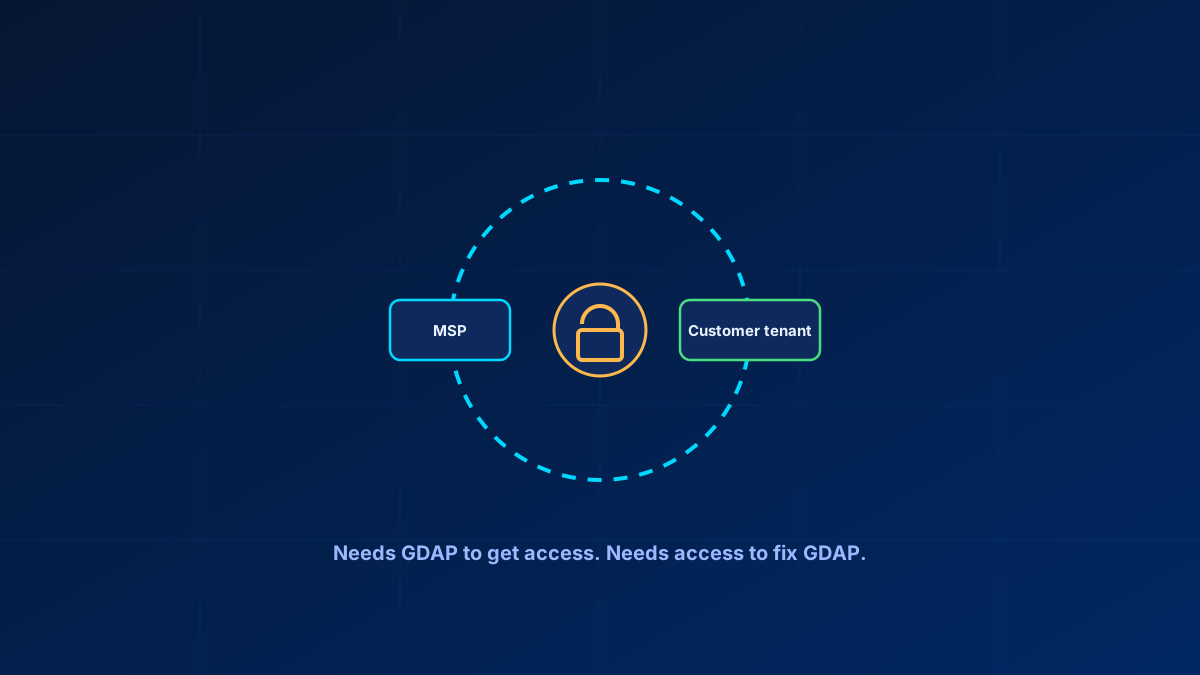
Granular Delegated Admin Privileges replaced the old delegated admin model with something more precise and time-bound. Its operational failure mode is not a technical circular dependency: when a relationship expires, the partner can request a new one in Partner Center, but recovery depends on customer approval and the customer's ability to act promptly.
The blunt version: GDAP needs a recovery plan. If the relationship expires, the service desk needs named customer contacts, a documented approval path, expiry monitoring and an agreed emergency-access process.
In short
If a GDAP relationship lapses, the partner can request a new relationship, but the customer must approve it. The fix is a documented recovery process: named customer approvers, monitored expiry and Auto extend status, and an explicitly agreed emergency-access arrangement where the risk justifies one. Map least-privilege roles to security groups rather than individuals.
Where recovery depends on the customer
GDAP relationships are established through Partner Center, require customer acceptance, and are mapped from MSP security groups to specific roles. If one expires or is removed, the normal recovery path is a new GDAP relationship request followed by customer approval. That is operationally slower than an active relationship, especially when customer administrators are unavailable, but it is not a requirement to sign in as customer Global Administrator first.
The practical fix is a recovery runbook: store named customer approvers and escalation contacts, monitor expiry, test the approval path, and agree any emergency-access option contractually. Two clocks matter in recovery: an unaccepted relationship request expires after 90 days, and expired or terminated relationships disappear from both portals after a year, taking their audit trail with them. A partner-controlled break-glass account is one possible arrangement, not a universal default; it has custody, MFA, monitoring and liability implications that the customer must explicitly accept.
Monitor expiry and Auto extend deliberately
Active GDAP relationships can use Auto extend, which adds six months until the relationship is terminated or Auto extend is disabled. The maximum relationship duration is two years, and a relationship with the Global Administrator role cannot use Auto extend. Treat expiry and Auto extend as monitored states: check Partner Center relationship analytics on a schedule and act before the relationship lapses, because recovery requires a new request and customer approval.
What roles an MSP actually needs
Microsoft does publish role guidance for this: the GDAP role guidance carries a least-privileged-role-by-task table and a "GDAP roles by partner types" table written around help-desk functions, and Microsoft 365 Lighthouse offers role recommendations by MSP job function plus reusable GDAP templates. What it does not give you is a finished per-MSP role set, so the mapping below is a starting point on top of that guidance, not a substitute for it. Scoped by function rather than granting broad admin by default:
- Helpdesk: User Administrator, Authentication Administrator — password and MFA method resets, basic user support
- M365 administration: Exchange, SharePoint and Teams Administrator — day-to-day service configuration
- Security: Security Administrator and Security Reader, split between who needs to act and who only needs to observe
- Full administration: Global Administrator, reserved for a small number of senior technicians and scoped through PIM activation rather than standing assignment
One consequence follows directly: a relationship that contains Global Administrator can never auto extend, so putting Global Administrator into your everyday relationship costs you Auto extend for everything else in it. The workable split is two relationships per customer — a long-lived, auto-extending one carrying the functional roles, and a separate short-duration relationship requested for Global Administrator only when a task genuinely needs it.
Mapping each function to its own security group, rather than assigning roles to individuals, is what makes this maintainable. Role changes become group membership changes rather than a renegotiation of the relationship itself. One thing to check before you wonder why access does not work: guest accounts do not work with GDAP, so a technician who exists as a guest in the customer tenant has to be removed there first.
Managing this at scale
Manually managing role-to-group mappings across dozens or hundreds of customer tenants does not hold up past a handful. Tooling that treats the mapping as a template and reapplies it across managed tenants is a meaningfully different operational model from configuring each tenant individually and hoping they stay consistent. Microsoft 365 Lighthouse does exactly this: its GDAP setup wizard recommends roles per MSP job function, and its GDAP templates save and reapply a mapping across customer tenants. Layering PIM on top — technicians eligible for a role rather than standing in it — adds real security value, at the cost of stacking PIM's own activation-verification gap onto GDAP's reliability issues. Worth doing deliberately, not assumed to work end to end because each piece is documented separately.
Bottom line
GDAP is the correct model: precise, auditable access instead of blanket delegated admin rights. Its recovery path depends on customer availability when an access relationship has expired. Named approvers, monitored expiry and Auto extend state, and a documented role set mapped to security groups make GDAP operationally resilient without inventing a universal partner-controlled break-glass account.
Glossary
- GDAP
- Granular Delegated Admin Privileges — the Microsoft partner model granting scoped, time-bound administrative access to a customer tenant, replacing blanket delegated admin rights.
- Partner Center
- Where the partner requests, monitors and extends GDAP relationships. The customer accepts, reviews and terminates them in their own Microsoft 365 admin center. Relationship status on both sides is what needs scheduled checking.
- Break-glass account
- An emergency-access account maintained outside the normal access path — here, outside GDAP — so a failure of that path does not lock you out entirely.
- Role-to-group mapping
- Assigning GDAP roles to MSP security groups rather than individuals, so staffing changes become group membership changes.
Frequently Asked Questions
How is an expired GDAP relationship recovered?
An expired GDAP relationship is recovered by requesting a new relationship in Partner Center and obtaining customer approval. The operational risk is delay and unavailable customer approvers, not a mandatory technical Global Administrator loop. Maintain named contacts, expiry monitoring and a documented, contractually agreed emergency-access process for customers where the risk warrants it.
How do I fix GDAP auto-renewal failures?
Monitor Partner Center relationship analytics, expiry dates and Auto extend state on a schedule. Auto extend can add six months to an active relationship until it is terminated or disabled, but a lapsed relationship still requires a new request and customer approval.
What GDAP roles does an MSP actually need?
Microsoft publishes least-privileged role guidance by task and by partner function, and Microsoft 365 Lighthouse ships GDAP templates with role recommendations per MSP job function. Build on those: split roles by function — helpdesk, M365 administration, security, full administration — each mapped to its own security group, with Global Administrator reserved for a few technicians and scoped through PIM activation rather than standing assignment.
How do GDAP, PIM and multi-tenant tooling fit together?
Management tooling handles role-to-group mappings as templates across tenants, solving the scale problem. Layering PIM makes technician access time-bound rather than standing; validate the PIM authentication-context behaviour in your own tenant as part of the operating model.
How many GDAP relationships should an MSP have per customer tenant?
Microsoft explicitly supports multiple relationships per customer tenant, each with its own roles and duration, and the Global Administrator restriction on Auto extend usually makes at least two the practical answer: one long-lived auto-extending relationship for functional roles, plus a short-duration relationship for Global Administrator when it is genuinely needed. Within each relationship, differentiate technician access through role-mapped security groups.
