
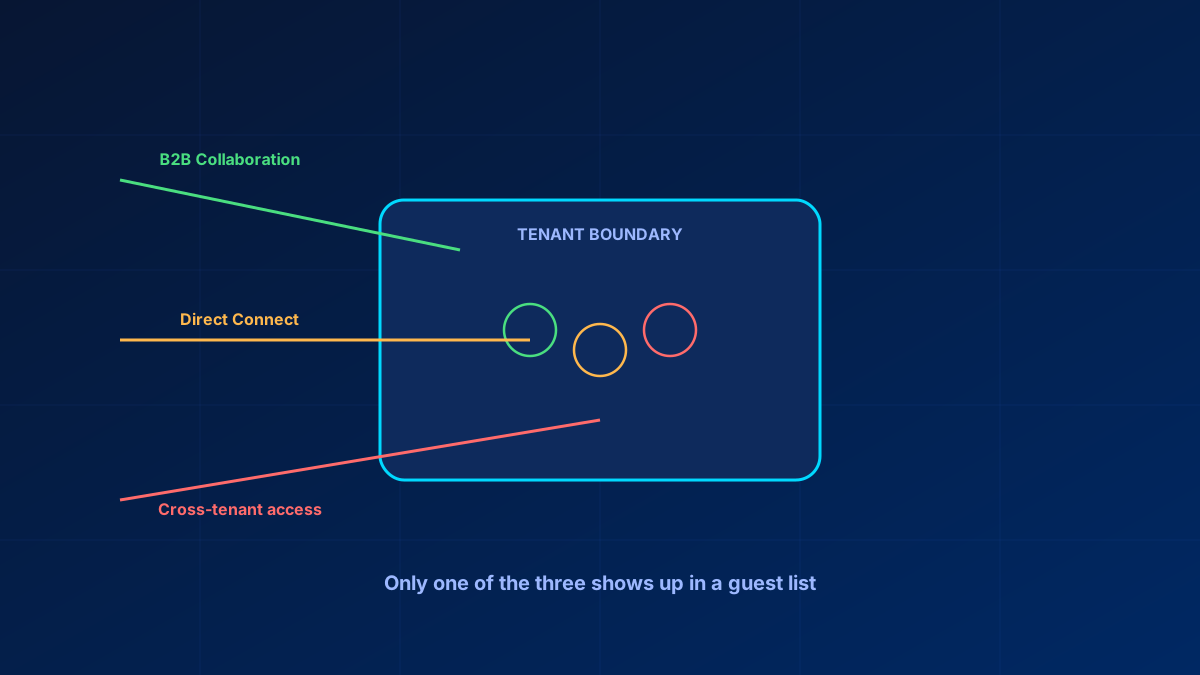
Most admins can tell you their user count without looking. Almost none can tell you their guest count without running a query first, and that gap is exactly where B2B governance problems live.
Guest accounts get created ad hoc — someone shares a document, Teams auto-invites an external participant, a project wraps and nobody removes the partner's access. Because they do not surface in the places admins habitually check, they accumulate quietly: accounts flagged as external who are not external in any meaningful sense anymore, left over from relationships that ended without anyone closing the access.
In short
Three different mechanisms grant external access — B2B Collaboration (creates a guest object), B2B Direct Connect (creates none), and cross-tenant access settings (governs both and can widen either). A guest audit that only queries userType eq 'Guest' misses Direct Connect entirely. Get an honest count first, cross-reference last sign-in, and assign the cleanup to a named person — it does not happen otherwise.
Getting an honest guest count first
Before anything else, get the actual number, because most admins are estimating rather than measuring:
- Entra admin center → Users → filter by "Guest users" gives the current count and list directly
- Microsoft Graph
/users?$filter=userType eq 'Guest'for a scriptable version, useful for scheduled reporting - Cross-reference
signInActivityon the Graph user object (Entra ID P1 minimum) to separate active guests from accounts that have not authenticated in months. ReadlastSuccessfulSignInDateTime, notlastSignInDateTime— the latter also counts failed interactive attempts, so a guest who has been failing to sign in for a year reads as active
The count itself is usually the first surprise. The second is how many show a last sign-in from a year or more ago — access that was never revoked when the reason for it ended.
Three overlapping ways external users get in
B2B is not one mechanism anymore, and each behaves differently, which is part of why governance is hard to reason about.
B2B Collaboration is the standard guest invite model. An external user gets a guest account in your tenant, subject to your Conditional Access and access policies. This is what most admins mean by "guest user."
B2B Direct Connect allows cross-tenant Teams collaboration — primarily shared channels — without creating a guest object in your tenant at all. The external user authenticates in their own tenant and gets scoped access. No guest account means your standard guest-user queries will not find this access.
Cross-tenant access settings govern both of the above and add a third layer: even without an explicit invite, these policies can allow users from a specific external tenant broader inbound or outbound access than a single Direct Connect channel implies.
The practical consequence: a complete external-access review needs to check cross-tenant access settings and Teams shared channel configuration separately, not just the guest user list.
The SharePoint and OneDrive move to Entra B2B
This is no longer a migration in progress. Tenants provisioned after June 2023 have the Entra B2B integration enabled by default, and from May 2026 Microsoft turns it on for all tenants regardless of the EnableAzureADB2BIntegration setting — the option to disable it goes away with it. Check where your tenant currently stands with Get-SPOTenant and read the EnableAzureADB2BIntegration property.
Once it is on, SharePoint and OneDrive sharing is subject to the Entra organizational relationship settings, and Microsoft is explicit about which side wins: where an Entra setting is more restrictive than a SharePoint or OneDrive setting, the Entra setting prevails. So verify SharePoint sharing settings, Entra external collaboration settings and cross-tenant access policies together — but expect the answer to come from Entra. One operational note worth planning for: enabling the integration breaks previously shared one-time-passcode links, and those files, folders and sites have to be reshared.
Cleaning up inactive guests without one-click automation
There is something close to that toggle now, and 90 days is literally the default. Start with the inactive guest insights report under ID Governance → Dashboard → Guest access governance → View inactive guests. It flags guests against a configurable inactivity threshold that ships set to 90 days, counts never-signed-in guests from their creation date instead, and exports up to a million rows. That sizes the problem before you touch anything.
The cleanup half is an access review scoped to Guest users only with Inactive users (on tenant level) only and a day count, Auto apply results to resource switched on, If reviewers don't respond set to Remove access, and Action to apply on denied guest users set to Block user from signing in for 30 days, then remove user from the tenant. Guests who do not sign in within your window are disabled for 30 days and then deleted, restorable for another 30. That is not a one-click switch, but it is a configured, unattended cleanup rather than a manual project.
Two licence facts belong together here, and the second one is the one that changes plans. First: plain access reviews run on Entra ID P2 or Entra ID Governance, but a review scoped to inactive users — the one that matters for guest cleanup — needs Entra ID Governance. Second: since January 2026 Microsoft enforces the Microsoft Entra ID Governance for Guests add-on for guest-scoped governance. Without a tenant linked to an Azure subscription carrying that meter, you can no longer create an access review scoped to guests that uses the inactive-user or user-to-group-affiliation helpers. It is billed per guest actually included in a review, and unlike External ID's basic MAU model it has no free tier — the 50,000 free MAU do not apply to it.
Without those licences, a manual quarterly process on the same signInActivity query covers the same ground with more effort. Either way the review needs an owner: guest cleanup not assigned to a specific person as a recurring task does not happen, for the same reason offboarding scripts drift.
Do guest users need licensing for MFA?
Conditional Access applies to B2B guest sign-ins, MFA requirements included, and you do not buy a licence per guest to make that work. What you do get is a billing model: Entra External ID counts monthly active users — unique external users who authenticate in a calendar month, across everyone with userType = Guest — and the first 50,000 MAU can use MFA and other Premium P1 or P2 features free. Above that it is MAU-billed, still not per-guest licensed. The exception is premium add-ons such as ID Governance for guests, which carry no free allowance at all. So: MFA yes, through policy; cost through MAU; add-ons without a free tier. Validate the tenant's entitlement, guest billing and Conditional Access design together before rollout.
Bottom line
Guest access is invisible by default — not because anyone hid it, but because nothing surfaces it without a deliberate query. Three mechanisms grant external access with three different audit trails, and only one shows up in a standard guest list. Getting an accurate count should be routine, not a one-off project.
Glossary
- B2B Collaboration
- The standard external-invite model: the external user gets a guest object in your tenant and is subject to your Conditional Access policies.
- B2B Direct Connect
- Cross-tenant Teams shared-channel access where the external user authenticates in their own tenant and no guest object is created in yours.
- Cross-tenant access settings
- Entra policies governing inbound and outbound access with specific external tenants, sitting above both Collaboration and Direct Connect.
- signInActivity
- A Microsoft Graph property on the user object recording last sign-in — the key field for separating active guests from dormant ones. Requires Entra ID P1.
- MAU billing
- Entra External ID's monthly-active-user pricing model for external identities — the first 50,000 MAU are free, and it is distinct from internal user licensing. Premium add-ons such as ID Governance for guests have no free tier.
Frequently Asked Questions
How many guest users are in my Microsoft 365 tenant right now?
Filter Users by "Guest users" in the Entra admin center for a quick count, or query /users?$filter=userType eq 'Guest' via Microsoft Graph for a repeatable version. Cross-reference signInActivity to see how many are actually active versus dormant.
How do I automatically remove inactive B2B guests?
The native path is an access review scoped to Guest users only and Inactive users (on tenant level) only, with auto-apply switched on and "Action to apply on denied guest users" set to block for 30 days and then delete. Pair it with the inactive guest insights report to size the problem first. It requires Microsoft Entra ID Governance — the inactive-user review type is not covered by Entra ID P2 alone — plus the ID Governance for Guests add-on, enforced since January 2026. Without those licences, a manual quarterly review on the same signInActivity data covers the same ground with more effort.
What is the difference between B2B Collaboration, Direct Connect and cross-tenant access?
B2B Collaboration creates a guest account in your tenant. Direct Connect grants scoped Teams shared-channel access without creating a guest object at all. Cross-tenant access settings govern both and can independently widen access for a specific external tenant. Standard guest queries only catch the first.
Do I need to license guest users for MFA to apply to them?
No — MFA enforcement through Conditional Access applies to guest sign-ins as a policy, not a per-guest licence. The first 50,000 monthly active users in Entra External ID can use MFA and other Premium P1 or P2 features free; beyond that it is MAU-billed, which is a cost consideration rather than a limit on whether MFA can be enforced. Premium add-ons such as ID Governance for guests are the exception: they have no free tier.
How does SharePoint's move to Entra B2B change external sharing?
With Entra B2B integration enabled — the default for tenants created after June 2023, and enabled for all tenants from May 2026 — SharePoint and OneDrive sharing is governed by Entra external collaboration and cross-tenant access settings, and the more restrictive Entra setting wins over the SharePoint one. If sharing suddenly stops working, check Entra external identities and cross-tenant access before assuming SharePoint is misconfigured, and confirm the integration state with Get-SPOTenant.
References
- Microsoft Learn: B2B collaboration overview
- Microsoft Learn: B2B direct connect overview
- Microsoft Learn: Cross-tenant access settings
- Microsoft Learn: Monitor and clean up stale guest accounts using access reviews
- Microsoft Learn: SharePoint and OneDrive integration with Microsoft Entra B2B
- Microsoft Learn: Entra ID Governance licensing for guest users
