
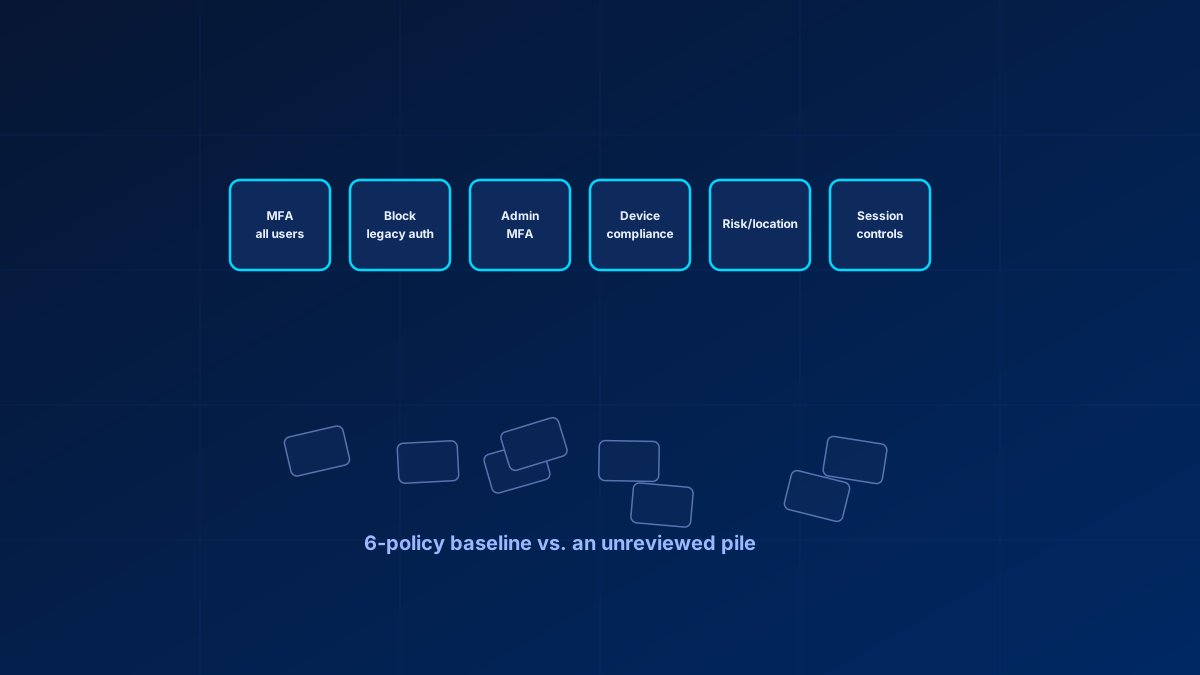
Open the Conditional Access blade in most tenants that have been running a few years and you will find somewhere between fifteen and fifty policies, named by whoever set them up that day, half of them in report-only mode with nobody checking the sign-in logs behind them.
Microsoft ships a baseline for exactly this, and in most tenants I review nobody has opened it. The Conditional Access policy templates include a category called Secure foundation, which Learn describes as the policies Microsoft recommends as the base for all organizations, to be deployed as a group. On top of that, Microsoft-managed policies are created directly in eligible tenants in report-only state and switch themselves on, normally no sooner than 30 days later, and tenants without Conditional Access licences get security defaults. Next to five years of accumulated policies that shipped baseline is easy to miss, so it gets reinvented: someone inherits a tenant, opens the policy list, and cannot tell what half of it is for.
In short
Start from Microsoft's own Secure foundation template set rather than from a blank page. In practice that comes down to seven things: MFA for all users, block legacy authentication, stricter MFA for admins, securing the security info registration flow, device compliance for sensitive apps, risk or location restriction, and session controls for unmanaged devices. Everything past that should map to a named risk. Report-only is a staging step with a deadline. Microsoft-managed policies are the exception there: you make a call on each one, and deleting them is not an option. A template copied across tenants needs drift detection behind it before it counts as a control.
What a minimum viable baseline actually covers
Microsoft's Secure foundation category is eight templates and it is the right starting list: MFA for all users, MFA for admins, MFA for admins accessing Microsoft admin portals, MFA for Azure management, block legacy authentication, securing security info registration, require compliant device, and require compliant or hybrid-joined device or MFA. Deploy those as a group, then cut or merge what your tenant genuinely does not need. Stripped down to the conditions that actually have to be covered, it looks like this. Anything past it is tenant-specific hardening:
- Require MFA for all users: the non-negotiable starting point, scoped to all users with an exclusion group reserved for break-glass accounts only
- Block legacy authentication: protocols that cannot do modern auth cannot do MFA, so they are a guaranteed bypass path if left open
- Require MFA for admin roles specifically: a second, stricter layer on top of the general policy, usually with a shorter session lifetime. Note that Conditional Access evaluates built-in directory roles only, so custom roles and administrative-unit-scoped assignments are not covered by a role-targeted policy
- Secure the security info registration flow: the one most self-built baselines miss. Without it, an attacker holding the password of an account that has no MFA method yet can register their own, and from then on passes every MFA prompt as that user
- Require a compliant or hybrid-joined device for sensitive apps: device-state gating for every app that touches sensitive data
- Restrict risky sign-ins or unfamiliar locations: the risk-based version needs Entra ID P2; a location allow-list is the P1-compatible fallback
- Session controls for unmanaged devices: restrict downloads or apply app-enforced restrictions for browser access from devices you do not manage
That is seven policies. Every one you add beyond them should answer a risk you can name, which rules out the ones copied from a forum thread because they sounded reasonable.
When report-only mode stops being useful
Report-only is the right way to test a policy before enforcing it: it logs what would have happened without blocking anyone. The trouble starts afterwards. A policy goes to report-only, the admin moves to the next fire, and eighteen months later it is still report-only because nobody built the habit of checking the logs behind it. By then it does nothing, while looking at a glance like it does something.
If you have report-only policies older than a few weeks, the fix is a scheduled fifteen-minute check followed by a deliberate decision to enforce or delete. A report-only policy with no decision date attached is a placeholder.
Microsoft documents three ways to run that check, and they are not equally available. The Policy impact view on the policy itself and the Report-only tab in the sign-in log details work in any Conditional Access tenant. The Insights and reporting workbook additionally needs Entra ID P1 and a Log Analytics workspace that is already receiving your sign-in logs. If nobody ever wired up Azure Monitor, start with Policy impact rather than assuming the workbook is missing. Two documented limits are worth knowing before you trust the results: policies in the User Actions scope are not evaluated in report-only mode at all, and report-only policies that check device compliance can repeatedly prompt macOS, iOS and Android users for a device certificate, so exclude those platforms while you test.
Before you delete anything, check who wrote it. Microsoft-managed policies also sit in report-only, are maintained by Microsoft, and switch themselves on unless you set them to Off, normally no sooner than 30 days after they arrive. Some can be enabled faster; when that applies, the notification email, the message center post and the policy details in the admin center say so. Those you review and decide on: you cannot rename or delete them, and letting one run out the clock is a decision by default.
Testing before you flip the switch
The What If tool answers one question well: for a given user, app and set of conditions, which policies apply and what is the result. Run it against your admin accounts, your break-glass accounts and any service accounts before enforcing anything new. It shows you the lockout while it is still hypothetical.
Consolidating without breaking things
Forty policies usually hold five or six actual intentions, duplicated across app-specific and group-specific variants that could each be one policy with broader scope. Before deleting anything, export the current set (Graph identity/conditionalAccess/policies or the admin center export), group policies by the condition they actually test rather than by name, and look for duplicates differing only in target app or group. Those usually collapse into a single policy with a wider assignment.
MSPs: templates without drift detection are a false sense of consistency
Copying a policy template across customer tenants solves the initial deployment problem and creates a new one: each tenant drifts independently as admins make one-off changes. Until recently nothing native flagged "tenant B's MFA policy no longer matches the template it came from." Entra Tenant Governance now does. Configuration management lets you author a JSON baseline (a Conditional Access policy is the microsoft.entra.conditionalaccesspolicy resource, with properties such as State, IncludedGroups and ExcludedUsers), create a monitor that runs every six hours, and read a list of configuration drifts naming each property that moved.
Two things to plan around before you build on it. Drift monitoring needs at least Entra ID P1, which Business Premium includes, and the included capacity is 30 monitors and 800 configuration resources per tenant per day. And monitors are created per tenant: you can reuse one baseline file across every customer, and each customer tenant gets its own monitor. With a Tenant Governance governance relationship you create and manage those monitors from your own tenant. The relationship carries cross-tenant delegated admin access that covers configuration management, and it needs a licence only for the administrators in your tenant who configure it. Only tooling that reports divergence closes that gap, because a reference document has no way of noticing that the tenant has moved away from it.
Bottom line
Treat Microsoft's shipped baseline, the Secure foundation templates plus the Microsoft-managed policies that land in your tenant on their own, as the floor. Reconcile what you already have against it, then decide deliberately what your tenant needs on top. In practice that means a decision date on every report-only policy, an explicit call on each Microsoft-managed one, and drift detection behind any template you copy across tenants.
Zero Trust. Zero Drama. Zero Bullshit.
Forty policies in the list and no one sure which of them still matter?
I reconcile Conditional Access against the Secure foundation baseline in SMB tenants every week.
Glossary
- Conditional Access
- The Entra ID policy engine that evaluates signals (user, device, location, risk) at sign-in and enforces allow, block, require MFA or require compliant device.
- Report-only mode
- A policy state that logs what the policy would have done without enforcing it. Meant as a short staging step before enforcement.
- What If tool
- An Entra admin center simulator that shows which Conditional Access policies apply to a hypothetical sign-in and what the outcome would be.
- Legacy authentication
- Older protocols (POP, IMAP, SMTP AUTH) that cannot perform modern authentication and therefore bypass MFA entirely unless blocked.
- Policy drift
- The gradual divergence of a deployed policy set from the template it was created from, caused by untracked one-off changes.
Frequently Asked Questions
What are the minimum Conditional Access policies every tenant needs?
Microsoft ships a starting set: the Secure foundation Conditional Access templates, which Microsoft recommends deploying as a group, plus the Microsoft-managed policies that arrive in eligible tenants automatically. Treat that as the floor, and add device compliance, unmanaged-browser session controls and risk-based controls only after checking licences, application architecture, enrolment flows, service accounts and emergency-access exclusions. Every policy should map to a named risk and a tested rollback path.
How do I clean up and consolidate Conditional Access policies?
Export the current set, group policies by the condition they actually test rather than their name, and merge duplicates that differ only by target app or group into one policy with broader scope. Enforce or delete every report-only policy older than a few weeks, after checking who created it: Microsoft-managed policies also appear in report-only, cannot be renamed or deleted, and enable themselves unless you set them to Off, normally no sooner than 30 days after they arrive.
How do I analyse Conditional Access report-only logs?
Use the Policy impact view on the policy, or the Report-only tab in the sign-in log details; both work in any Conditional Access tenant. The Insights and reporting workbook gives you the combined view across policies, but it additionally needs Entra ID P1 and a Log Analytics workspace already receiving your sign-in logs. Review on a schedule, because a report-only policy without a review date tends to stay report-only indefinitely.
How do MSPs keep Conditional Access consistent across customer tenants?
A policy document copied once is not enough, because tenants drift independently after deployment. Entra Tenant Governance configuration management now covers this natively: author one JSON baseline, create a monitor in each customer tenant, and read the configuration drifts it reports every six hours. It needs at least Entra ID P1 per tenant, and each tenant gets its own monitor even though the baseline file is shared. With a governance relationship you manage those monitors from your own tenant instead of signing in to each customer. A static reference document cannot detect drift.
References
- Microsoft Learn: Conditional Access overview
- Microsoft Learn: Conditional Access report-only mode
- Microsoft Learn: Block legacy authentication
- Microsoft Learn: Conditional Access policy templates — the Secure foundation category
- Microsoft Learn: Microsoft-managed Conditional Access policies
- Microsoft Learn: Tenant Governance configuration management and drift detection
- Microsoft Learn: Tenant Governance licensing and governance relationships
