
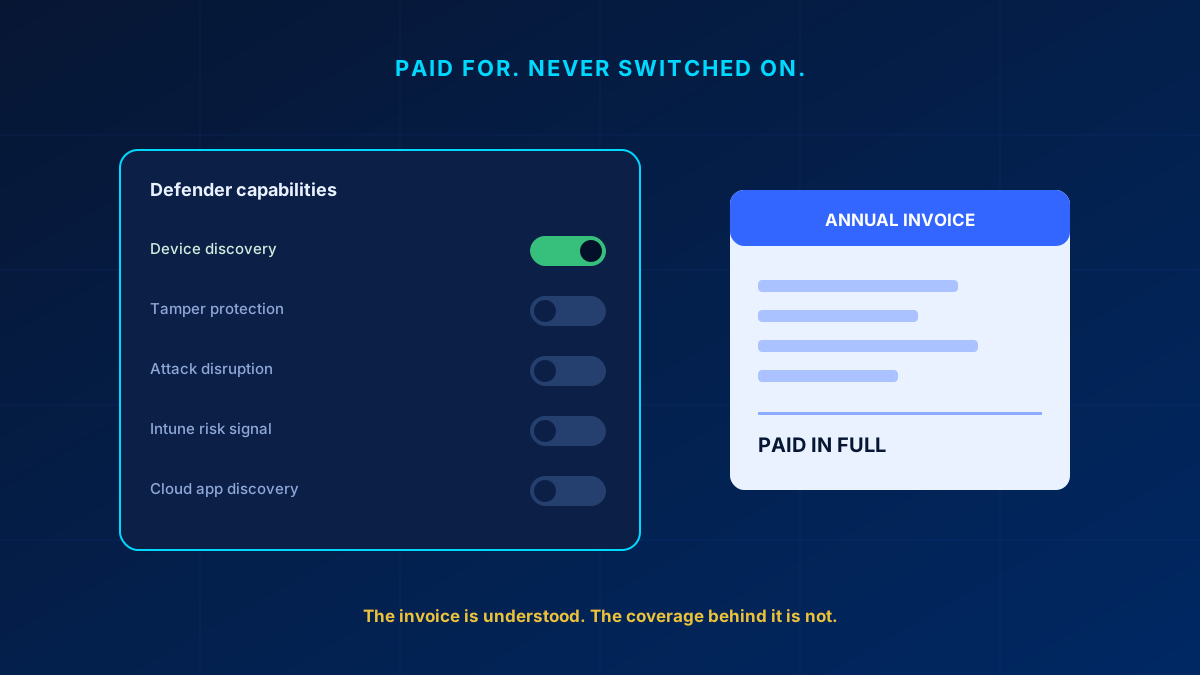
Two weeks ago, a managing director told me — without looking anything up — exactly what his company pays Microsoft every year. Down to the euro. Then I asked a second question: how much of the security included in that number is actually switched on? He looked at his IT lead. His IT lead looked at his notes. Nobody in the room had an answer.
That moment is not unusual. It is the single most common finding when I review a company that went all-in on Microsoft 365. The invoice is well understood. The coverage behind it is not.
In short
If your company runs on Microsoft 365 with an advanced licence, you very likely own a stronger security posture than the one currently protecting you — and the gap is a configuration decision, not a purchase order. Onboarding a platform is not the same as switching its capabilities on. The three that matter most at leadership level: device discovery, tamper protection and automatic attack disruption, and the Defender-to-Intune signal connection that no standalone product can replicate.
The invoice you know, the protection you don't
Here is what typically happened in these companies, and none of it was a mistake at the time. A few years ago leadership made a strategic decision: consolidate on one platform. Mail, files, collaboration, identity — all Microsoft. Somewhere along the way the licence tier went up, usually because a specific feature was needed, sometimes because a partner recommended it. The security capabilities came along in the same bundle.
Then the project ended. The migration was declared successful, the consultants moved on, and the environment entered maintenance mode: keep it running, answer tickets, do not break anything. The advanced protection that came with the licence was never on anyone's task list — not because the IT team is careless, but because "review everything we already own" is a project nobody commissions.
The consequence is quiet and expensive. Some companies pay twice, buying third-party tools that duplicate what the existing licence already covers. Others simply carry the gap. And if something does happen, the uncomfortable question will not come from me — it will come from the insurer, asking why protection you demonstrably paid for was demonstrably off.
"But we have it running" — the dangerous half-truth
When I raise this, the answer is almost always the same: we onboarded that years ago, it is running. And it is — in the same way a car with disabled airbags is running. It drives. It gets you to work. The difference only shows on the one day it matters.
Onboarding a security platform means the devices report in. It does not mean the capabilities are working for you. Between those two states sits a settings page most people have opened exactly once, during initial setup, under time pressure, with a go-live date breathing down their neck. I keep finding the same picture there: half the platform dark. Paid for. Never touched.
What actually changes when you switch it on
In a Microsoft-365-first company the platform in question is Defender for Endpoint, and its unused capabilities fall into three groups that matter at leadership level.
You see what you actually own. Device discovery turns your existing managed machines into sensors that find the unmanaged ones — the old laptop in the warehouse, the printer nobody inventoried, the switch a contractor left behind. No new hardware, no new agent. Standard discovery is on by default, so the usual gap here is not that it is off: it is that nobody has ever looked at the inventory it produced, reviewed the monitored networks list, or checked whether someone once turned the tenant down to the passive Basic mode. That last one has teeth — automatic attack disruption needs Standard discovery for its Contain device action, so a tenant on Basic loses the single most useful automated response it owns. The devices land in the inventory with an onboarding status, a vulnerability assessment and hunting coverage, so you can query for what should not be there. In tenants I have reviewed, the first week almost always surfaces devices nobody knew existed.
Attackers lose their favourite move. Tamper protection prevents anyone — including malware running with admin rights — from quietly disabling your protection or excluding entire drives from scanning (the exclusion part requires devices managed exclusively through Intune or Configuration Manager, with Sense enabled). In real ransomware cases, switching off the defences is step one of the playbook, and this single toggle takes that step away. Since built-in protection arrived, tamper protection is on by default for newly onboarded tenants — but older deployments were left on an opt-in basis, which is exactly the population this article is about. Check Settings > Endpoints > Advanced features > Tamper protection in the Defender portal; it also needs cloud-delivered protection turned on, and a device managed by an Intune policy takes its state from that policy, not from the portal toggle.
The platform acts before you do. Automatic attack disruption goes further: when telemetry recognises an active attack chain with high confidence — Microsoft holds a confidence level of 99% or higher for containment actions — compromised assets are contained automatically, without waiting for an analyst. Be precise about what that covers today: cutting an unmanaged device off the network and disabling a compromised account are generally available. Automatically isolating an onboarded workstation is newer and currently in preview — the isolation is time-limited, scoped to the incident, keeps the device reachable for security services, and any operator can release it. It also needs Defender for Endpoint Plan 2, or an eligible subscription such as Microsoft 365 E5 or Microsoft Defender for Business. At 2 a.m. on a Saturday, that is the difference between one encrypted laptop and an encrypted company.
The platform talks to itself. This is the part no standalone product replicates, and the real answer to "why M365-first." Connect Defender to Intune and a device's risk score feeds directly into your access rules: a laptop that looks compromised loses access to sensitive systems automatically and regains it when clean. Endpoint signals also flow into cloud app discovery, so shadow IT becomes visible from telemetry you already collect — though that one does need Defender for Cloud Apps licensed, which Business Premium only gets through the Microsoft Defender Suite for Business Premium add-on. No integration project, no middleware, no additional vendor contract — but be honest with your IT lead about the effort: it is four settings across three portals, not one toggle. Turn on the Intune connector in the Defender portal, turn on compliance policy evaluation in Intune, create a compliance policy with the threshold "Require the device to be at or under the machine risk score", then build the Conditional Access policy in Entra ID. That needs the Endpoint Security Manager role in Intune and the Conditional Access Administrator role in Entra. The signals connect because it is one platform — that connection is what the higher licence tier actually buys, and it is precisely the part that stays off most often. It is the same wiring described in the Devices pillar.
Why this is a leadership topic, not a ticket
None of the toggles above require new budget. What they require is a decision: someone has to own the question "are we using what we pay for?" — and in my experience that question only gets answered when it comes from the top. IT teams optimise for stability, and rightly so; every activated feature is a change, and change carries risk. That is a legitimate concern, which is why some capabilities should be piloted before a global rollout — and the documented safety nets are there: exclusions for critical assets in attack disruption, IP and subnet exclusions in Standard discovery, and troubleshooting mode instead of switching tamper protection off when it blocks a legitimate admin task. But "we might break a legacy script" is a scheduling problem. "Our paid protection was off during the incident" is a liability problem. Those two do not weigh the same.
Key takeaway
If your company runs on Microsoft 365 with an advanced licence, there is a good chance you own a meaningfully stronger security posture than the one currently protecting you — and the gap between the two is a configuration decision, not a purchase order. Not a single click — some of it is several settings across several portals — but no new budget. The honest first step costs one meeting: ask your IT lead to walk you through what is on, what is off, and why. If the answer to "why is this off" is silence, you have found your starting point.
If you would rather have an outside pair of eyes on that settings page first, get in touch — reviewing it takes, in my experience, about half a day, and you will know exactly where you stand.
Glossary
- Defender for Endpoint
- Microsoft's endpoint detection and response platform. Microsoft 365 E5 includes Plan 2, Microsoft 365 E3 includes Plan 1, and Microsoft 365 Business Premium includes Defender for Business (up to 300 users, roughly Plan 1 plus some Plan 2 features) rather than Defender for Endpoint — Plan 2 reaches Business Premium only through the Microsoft Defender Suite for Business Premium add-on. Note that Defender for Business does not support mixed licensing: a tenant holding both defaults to the Defender for Business experience until every user is licensed for Plan 2 and Microsoft Support switches it. Onboarding a device is not the same as enabling its capabilities.
- Device discovery
- Uses already-managed endpoints as sensors to find unmanaged devices on the same network — no additional hardware or agent required.
- Tamper protection
- Prevents security settings from being disabled or scan exclusions added, even by processes running with administrative rights.
- Automatic attack disruption
- Contains a compromised device automatically when an active attack chain is recognised with high confidence, without waiting for an analyst.
- Device risk score
- A Defender-calculated risk value for an endpoint that can be consumed by Intune compliance and Conditional Access to gate access automatically.
Frequently Asked Questions
Is Microsoft Defender for Endpoint included in what we already pay for?
Microsoft 365 E5 includes Defender for Endpoint Plan 2 and E3 includes Plan 1. Microsoft 365 Business Premium is the one people get wrong: it includes Defender for Business, not Defender for Endpoint, and Plan 2 only comes with the Microsoft Defender Suite for Business Premium add-on. It is also available standalone. The more common finding is not a missing licence but an owned licence whose capabilities were never enabled after onboarding.
What is the difference between onboarding Defender and actually using it?
Onboarding means devices report telemetry. Using it means capabilities like tamper protection, device discovery, attack disruption and the Intune risk-signal connection are switched on and configured. Most tenants have done the first and not the second.
Which Defender capabilities should we switch on first?
In my experience tamper protection is the highest value per minute of effort, because disabling defences is step one in most ransomware playbooks. Device discovery is the fastest way to learn what is actually on your network. The Intune risk-signal connection delivers the most long-term value and is most often left off.
Do we still need a third-party endpoint tool if we are Microsoft 365-first?
Often not — many companies pay twice for capabilities their existing licence already covers. There is a concrete way to check whether you are: with a third-party antivirus installed, Microsoft Defender Antivirus runs in passive mode after onboarding and switches itself to active mode automatically once the other product is uninstalled. So look at what your current tier includes and what is actually enabled before adding another vendor. A third-party tool is justified by a specific capability gap, not by a Defender configuration nobody has reviewed.
