
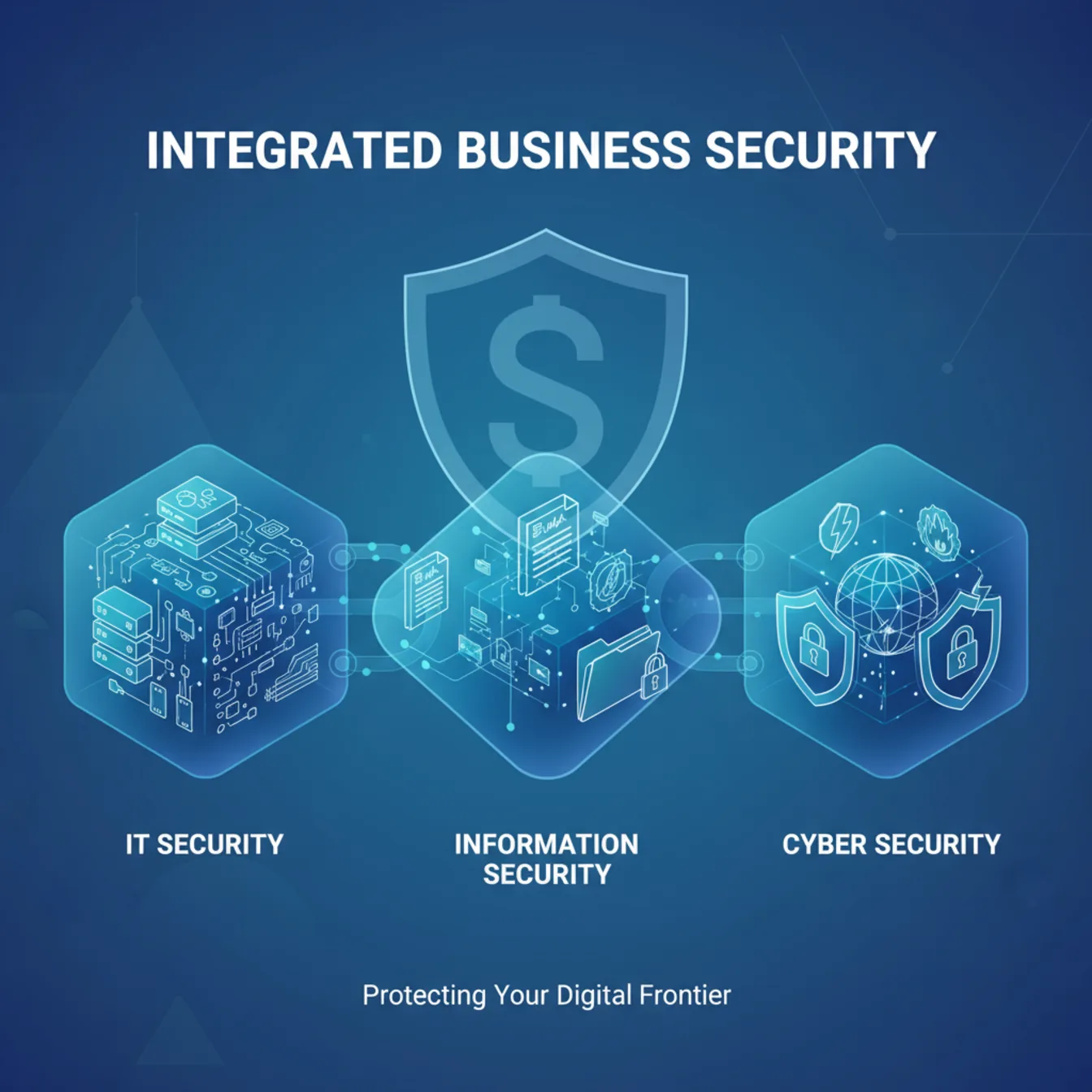
As an M365 Solution Architect, you need to understand how IT security (Intune + device compliance), information security (Purview + data governance), and cybersecurity (Defender XDR + Conditional Access) work together in your Microsoft 365 environment. With data breach costs averaging $4.44M and human elements present in 68% of incidents, implementing integrated Zero Trust controls across Entra ID, Defender, and Purview delivers measurable ROI. This guide maps NIST CSF 2.0 to your M365 stack with practical implementation steps.
In the Microsoft 365 ecosystem, the lines between IT security, information security, and cybersecurity blur — but understanding their distinct roles is crucial for building comprehensive Zero Trust architectures. Whether you're implementing Conditional Access baseline policies, configuring Defender XDR playbooks, or establishing data governance with Purview, each security domain requires specific Microsoft 365 services and configurations. This guide will help you navigate these domains with practical, M365-native solutions that your organization can implement today.
In short
Microsoft 365 security spans three overlapping domains: IT security (Entra ID identity as the first line of defense, then Intune device compliance), information security (Purview data governance), and cybersecurity (Defender XDR + Conditional Access threat protection). This guide maps all three to the NIST CSF 2.0 framework and gives you five Conditional Access policies to deploy first — starting with admin MFA and blocking legacy authentication.
The Three Pillars in Your M365 Environment
IT Security: Your Microsoft 365 Infrastructure Foundation
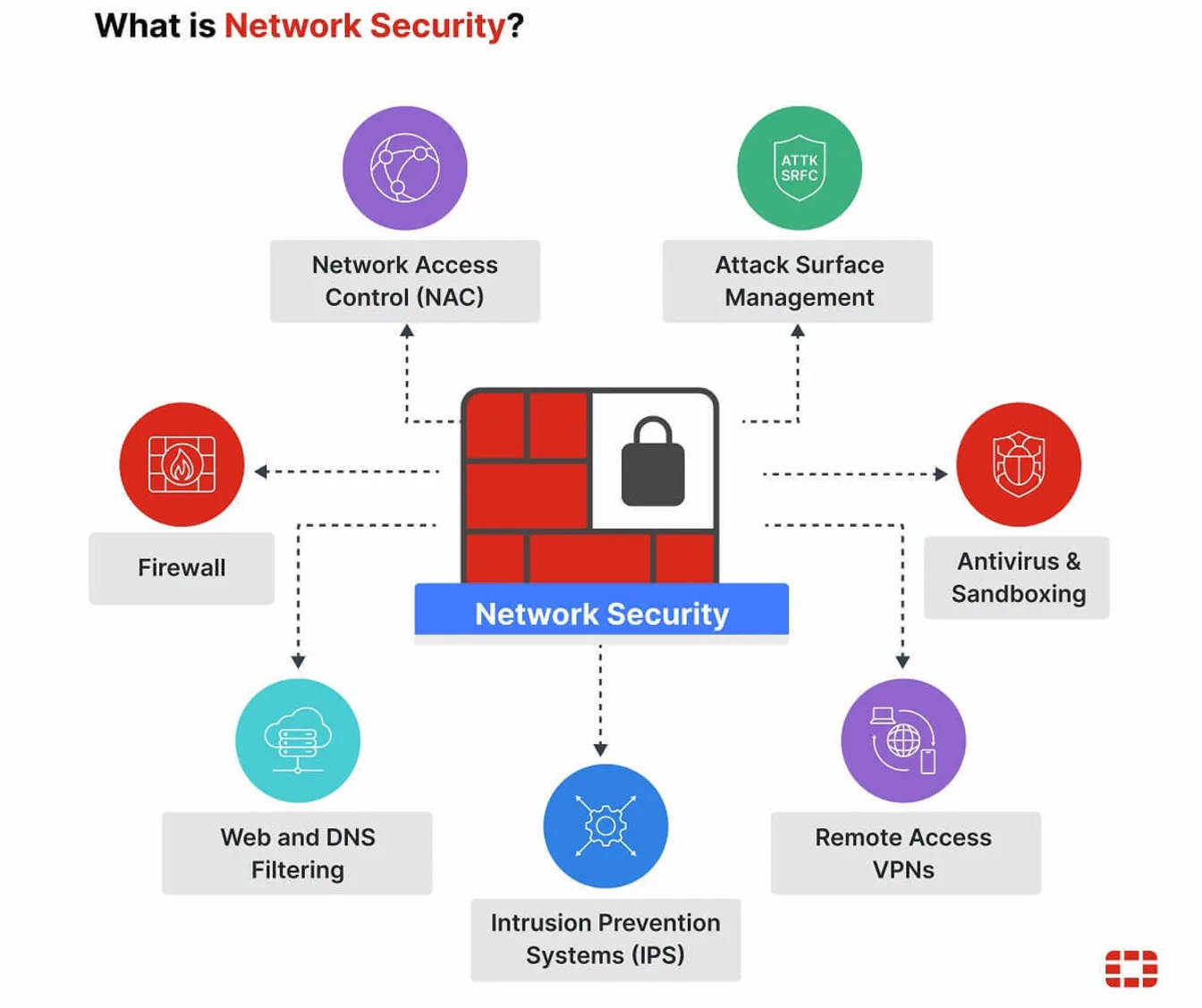
In the M365 world, IT security starts with identity — it is the first line of defense and the new perimeter. Entra ID decides who gets in and under what conditions; Intune then proves the device they are coming from is healthy. Together with service configuration and hybrid connectivity, they form the technical foundation everything else builds on. Get identity right first, and every downstream control has something solid to stand on.
Core M365 Services:
- Entra ID: The primary perimeter — MFA, Conditional Access, authentication strength, identity governance, directory synchronization
- Microsoft Intune: Device compliance policies, security baselines, app protection
- Exchange Online Protection: Anti-spam, anti-malware and baseline anti-phishing
- Defender for Office 365: Adds Safe Attachments and Safe Links on top of EOP
- Global Secure Access: Private and internet access for hybrid scenarios
Practical Implementation: Your IT security foundation starts with identity: enforce multi-factor authentication for every user through Conditional Access, block legacy authentication protocols, and require phishing-resistant methods (Windows Hello for Business or FIDO2 keys) for privileged accounts. Only once identity is locked down do you layer on Intune device compliance policies that enforce Windows security baselines, require BitLocker encryption, and validate device health attestation — then feed that compliance signal back into Conditional Access, so an unhealthy device is blocked before it ever reaches your data. For hybrid environments, Microsoft Entra Private Access publishes on-premises applications without a traditional VPN, while Windows Hello for Business cloud Kerberos trust gives Entra-joined devices single sign-on to on-premises Kerberos resources — two separate things that often get run together.
Information Security: Microsoft Purview and Data Governance
Information security in M365 revolves around data discovery, classification, protection, and governance across your entire Microsoft 365 tenant and connected systems.

Core M365 Services:
- Purview data classification: Content explorer and activity explorer, sensitive information types, and trainable classifiers
- Purview Information Protection: Sensitivity labels, DLP policies, encryption
- Purview Insider Risk Management: Behavioral analytics and risk detection
- Purview eDiscovery: Legal hold and compliance workflows — content search is no longer a separate solution, it is part of the eDiscovery search experience
- Entra ID Governance: Access reviews, entitlement management, lifecycle workflows
Practical Implementation: Start with Purview’s auto-labeling policies to classify sensitive data across SharePoint, OneDrive, and Exchange. Implement DLP policies that prevent sharing of credit card numbers or social security numbers outside your organization. Use Insider Risk Management to detect unusual file access patterns or potential data exfiltration. Establish regular access reviews in Entra ID Governance to ensure users maintain appropriate permissions to sensitive SharePoint sites and Teams.
Cybersecurity: Microsoft Defender and Threat Protection
Cybersecurity in M365 focuses on threat detection, investigation, and response across your entire digital estate, from endpoints to cloud applications.

Core M365 Services:
- Microsoft Defender XDR: Unified threat detection across endpoints, identity, email, and apps
- Defender for Cloud Apps: Cloud application security and shadow IT discovery
- Microsoft Sentinel: SIEM/SOAR for advanced threat hunting and automation
- Entra ID Protection: Risk-based authentication and user risk detection
Practical Implementation: Configure Defender for Endpoint with attack surface reduction rules and controlled folder access. Set up Defender for Office 365 with Safe Links and Safe Attachments for all users. Implement Defender for Cloud Apps to monitor OAuth app permissions and detect anomalous user behavior. Use Sentinel workbooks to correlate security events across your M365 environment and automate incident response with Logic Apps.
Security Domains Comparison: M365 Edition
| Feature | IT Security (M365) | Information Security (M365) | Cybersecurity (M365) |
|---|---|---|---|
| Primary Services | Intune, Entra ID, Global Secure Access | Purview (data classification, DLP, Insider Risk), Entra ID Governance | Defender XDR, Sentinel, Entra ID Protection |
| Key Policies | Device compliance, Conditional Access, Security baselines | Sensitivity labels, DLP rules, Retention policies | Attack surface reduction, Safe Links/Attachments, Risk policies |
| Monitoring Focus | Device health, Authentication events, Service availability | Data access patterns, Classification coverage, Policy violations | Security alerts, Threat indicators, User risk scores |
| Compliance Integration | Device attestation, Authentication strength | Data residency, Legal hold, Privacy regulations | Incident reporting, Threat intelligence, Security metrics |
Framework Integration: The NIST CSF 2.0 Foundation
NIST CSF 2.0 formalizes six functions—Govern, Identify, Protect, Detect, Respond, Recover—and is the best backbone for integrating IT security, information security, and cybersecurity. In the Microsoft 365 context, this framework provides the structure for orchestrating Intune, Purview, and Defender services into a cohesive security strategy.
Govern & Identify
Microsoft Purview Suite:
- Data classification: Content explorer, sensitive information types, named entities and trainable classifiers for finding sensitive data across M365
- Information Protection: Sensitivity labeling and classification policies
- Insider Risk Management: Behavioral analytics for insider threat detection
- eDiscovery: Search and legal hold capabilities (content search is now part of eDiscovery)
Entra ID Governance:
- Access Reviews: Regular certification of user permissions and group memberships
- Entitlement Management: Automated access provisioning and lifecycle management
- Privileged Identity Management (PIM): Just-in-time access for administrative roles
Protect
Device and Identity Protection:
- Intune Compliance Policies: Enforce security baselines, encryption, and device health
- Conditional Access: Token protection, location-based access, device compliance requirements
- Authentication Strength: Windows Hello for Business, FIDO2 keys, and phishing-resistant MFA
Zero Trust Implementation: Deploy these five baseline Conditional Access policies for immediate risk reduction:
- Admin MFA Enforcement: Require phishing-resistant authentication for all administrative roles
- Legacy Authentication Block: Block basic authentication protocols across all M365 services
- Risk-Based Step-Up: Require additional authentication for high-risk sign-ins
- Device Compliance Gate: Require compliant devices for Exchange Online and SharePoint access
- Session Controls: Implement app-enforced restrictions for unmanaged devices
Detect & Respond
Microsoft Defender XDR:
- Defender for Endpoint: Advanced threat protection and endpoint detection/response
- Defender for Identity: Identity threat detection and response across Active Directory and hybrid identity infrastructure
- Defender for Office 365: Email and collaboration threat protection
- Defender for Cloud Apps: CASB — shadow IT discovery, OAuth app governance, and real-time session control
Microsoft Sentinel:
- SIEM Capabilities: Centralized log collection and threat hunting across M365 and hybrid environments
- SOAR Automation: Automated incident response and threat remediation workflows
- Threat Intelligence: Integration with Microsoft’s global threat intelligence network
Recover
Business Continuity:
- Microsoft 365 Backup: Automated backup for Exchange Online, SharePoint and OneDrive — a pay-as-you-go service at $0.15/GB/month that needs PAYG billing set up; it is not included in any M365 licence
- Exchange Online Protection: Anti-malware scanning and quarantine capabilities
- Immutable Retention: Litigation hold and compliance-driven data preservation
- Incident Response: Tested runbooks and tabletop exercises using M365 security tools
Zero Trust in Practice: Conditional Access Deep Dive
Two rules before you build any of these. Every one of these policies must exclude your emergency access / break-glass accounts — Microsoft repeats that instruction in every single policy walkthrough, and it is the difference between tightening your tenant and locking yourself out of it. And create every policy in Report-only mode first, review the policy impact, and only then switch it to On. Note also that policies 3a and 3b require Microsoft Entra ID P2 (Identity Protection); policies 1, 2, 4 and 5a work with P1.
Policy 1: Admin MFA Enforcement
Users: All administrative roles (Global Admin, Security Admin, etc.)
                    Exclude: Emergency access / break-glass accounts
                    Conditions: All cloud apps, any location
                    Controls: Require authentication strength (Phishing-resistant MFA)
                    Impact: High security, minimal user friction for admins already using modern auth
Policy 2: Legacy Authentication Block
Users: All users
                    Exclude: Emergency access / break-glass accounts
                    Conditions: Client apps > Exchange ActiveSync clients + Other clients
                               (Other clients covers IMAP, POP and SMTP AUTH)
                    Controls: Block access
                    Impact: Closes the protocol family attackers reach for first, requires modern mail clients
Legacy authentication doesn't support MFA, which is precisely why it is the standard way to bypass it. Microsoft attributes stopping more than 99.9% of common identity attacks to the combination of MFA plus blocking legacy auth — both measures together, not legacy blocking on its own.
Policy 3a: Risky Sign-In Step-Up
Users: All users
                    Exclude: Emergency access / break-glass accounts
                    Conditions: Sign-in risk Medium or High
                    Controls: Require authentication strength (Multifactor authentication)
                              Session > Sign-in frequency: Every time
                    Licence: Microsoft Entra ID P2
                    Impact: Adaptive protection based on Microsoft's threat intelligence
Policy 3b: Risky User Remediation
Users: All users
                    Exclude: Emergency access / break-glass accounts
                    Conditions: User risk High
                    Controls: Require risk remediation
                    Licence: Microsoft Entra ID P2
                    Impact: Forces a secure password change and revokes sessions for passwordless users
Keep those two apart. The secure password change belongs to the user risk policy, not the sign-in risk policy — mixing them is the most common way this baseline gets built wrong.
Policy 4: Device Compliance Gate
Users: All users
                    Exclude: Emergency access / break-glass accounts
                    Conditions: Exchange Online, SharePoint Online
                    Controls: Require device to be marked as compliant
                    Impact: Ensures corporate data access only from managed, secure devices
Policy 5a: App-Enforced Restrictions for Unmanaged Devices
Users: All users
                    Exclude: Emergency access / break-glass accounts
                    Conditions: Unmanaged devices (not compliant, not hybrid joined)
                    Target: SharePoint Online and Exchange Online
                    Controls: Session > Use app enforced restrictions
                    Impact: Browser-only, read-only access; enables BYOD without unmanaged local copies
App-enforced restrictions is a native Conditional Access session control, and it only works for the Office 365 services that enforce the restriction themselves — SharePoint/OneDrive and Exchange. Blocking downloads is a different product:
Policy 5b (optional): Block Download via Defender for Cloud Apps
Route the session through Conditional Access App Control, then create a
                    Defender for Cloud Apps session policy:
                    Session control type: Control file download (with inspection)
                    Action: Block
                    Requires: Microsoft Defender for Cloud Apps, configured in the Defender portal
                    Impact: Blocks downloads to unmanaged devices with content inspection
Industry-Specific M365 Implementations
Financial Services
Regulatory Focus: SOX, PCI DSS, FFIEC guidelines
- Purview Communication Compliance: Monitor trader communications for regulatory violations
- Customer Lockbox: Ensure Microsoft support access requires explicit approval
- eDiscovery (Premium): Custodians, legal hold notifications, review sets and predictive coding in the eDiscovery experience of the Microsoft Purview portal — the classic eDiscovery interfaces were retired on 31 August 2025
- Defender for Cloud Apps: Monitor third-party financial applications for anomalous access
Healthcare
Regulatory Focus: HIPAA, HITECH, state privacy laws
- Purview Information Protection: Auto-classify PHI using health-related sensitive information types, named entities and trainable classifiers
- Defender for Office 365: Protect against healthcare-targeted phishing campaigns
- Entra ID Governance: Implement break-glass access for emergency medical scenarios
- Microsoft Sentinel: Correlate security events with patient access patterns
Manufacturing
Operational Focus: Intellectual property protection, supply chain security
- Purview Insider Risk: Detect potential IP theft before employee departures
- Defender for IoT: Extend protection to operational technology environments
- Global Secure Access: Secure remote access to manufacturing execution systems
- Information Barriers: Prevent collaboration between competing project teams
Measuring Success: M365 Security Metrics
IT Security KPIs
- Device Compliance Rate: Target 98% of devices meeting security baselines
- Authentication Success Rate: Monitor for authentication failures indicating attacks
- Conditional Access Policy Coverage: Ensure 100% of users covered by baseline policies
Information Security KPIs
- Data Classification Coverage: Target 90% of sensitive data properly labeled
- DLP Policy Effectiveness: Monitor policy matches and false positive rates
- Access Review Completion: Maintain 95% completion rate for quarterly reviews
Cybersecurity KPIs
- Defender XDR Alert Volume: Track trends in security alerts and investigation time
- Threat Hunting Efficiency: Measure time from detection to containment
- Security Score Improvement: Use Microsoft Secure Score as a baseline metric
The Business Case: M365 Security ROI
The Human Factor Reality
The human element remains the dominant factor: ~68% of breaches involve people (e.g., phishing, stolen creds, errors), per Verizon’s 2024 Data Breach Investigations Report. Build training and controls around the exact behaviors driving incidents in your environment. In M365, this means implementing Conditional Access policies that adapt to user risk, Purview Insider Risk Management to detect anomalous behavior, and comprehensive security awareness training integrated with Attack Simulation Training, which belongs to Defender for Office 365 Plan 2 rather than Plan 1.
Cost Avoidance
According to IBM’s 2025 Cost of a Data Breach Report, the global average breach cost is $4.44M, a 9% decrease from 2024, largely due to faster detection and containment.
- Breach Prevention: Average $4.44M cost avoidance per prevented breach
- Compliance Automation: 60-80% reduction in manual compliance tasks through Purview
- VPN Replacement: $50-100 per user per month savings with Microsoft Entra Private Access
The last two figures are my own numbers from tenants I have reviewed, not vendor benchmarks — treat them as a starting point for your own calculation, not as a promise.
Operational Efficiency
- Unified Management: Single pane of glass for security across M365 services
- Automated Response: In my experience, roughly a 70% reduction in security incident response time with Defender XDR
- Self-Service Access: Reduced helpdesk tickets through Entra ID self-service capabilities
Conclusion: Your M365 Security Journey
The distinction between IT security, information security, and cybersecurity becomes actionable when mapped to your Microsoft 365 environment. By leveraging Intune for device management, Purview for data governance, and Defender for threat protection, you create a comprehensive Zero Trust architecture that addresses all three security domains.
The market reality underscores this urgency: the cybersecurity market is projected to grow from $218.98B (2025) to $562.77B (2032) at 14.4% CAGR (Fortune Business Insights). Meanwhile, global cybercrime costs are projected to reach $13.82T by 2028 (Statista Market Insights).
Start with the five baseline Conditional Access policies outlined above, implement Purview data classification for your most sensitive information, and configure Defender XDR for unified threat detection. Remember that security in M365 is not about individual products—it’s about orchestrating these services into a cohesive defense strategy.
By understanding and implementing integrated security strategies across your Microsoft 365 environment, you transform security from a compliance checkbox into a business enabler.
Ready to strengthen your M365 security posture? Start with a Microsoft Secure Score assessment, implement the baseline Conditional Access policies above, and begin your Purview data discovery journey. Your organization’s digital transformation depends on getting security right from the foundation up.
Glossary: Key Terms
- IT Security
- Protection of the technical infrastructure — in M365, device management (Intune), identity infrastructure (Entra ID), and service configuration.
- Information Security
- Protection of data itself regardless of where it lives — classification, labeling, DLP, and retention via Microsoft Purview.
- Cybersecurity
- Defense against active threats and attackers — detection, response, and threat protection via Defender XDR and Conditional Access.
- Zero Trust
- A security model that trusts no user or device by default and verifies every access request explicitly, continuously, and with least privilege.
- Conditional Access
- The Entra ID policy engine that enforces access decisions (allow, block, require MFA, require compliant device) based on real-time signals.
- XDR (Extended Detection and Response)
- Correlated threat detection and response across multiple layers — identity, email, endpoint, and cloud apps — unified in Microsoft Defender XDR.
- SIEM
- Security Information and Event Management — centralized log aggregation, correlation, and alerting; Microsoft Sentinel is the M365-native SIEM.
- MDR / MXDR
- Managed Detection and Response / Managed Extended DR — a service where a third party runs 24/7 monitoring and response on top of your tooling.
- NIST CSF 2.0
- The NIST Cybersecurity Framework, organized around six functions: Govern, Identify, Protect, Detect, Respond, and Recover.
Frequently Asked Questions
What’s the difference between IT security, information security, and cybersecurity in Microsoft 365?
IT security covers device management and infrastructure (Intune, Entra ID). Information security covers data governance and classification (Purview). Cybersecurity covers threat detection and response (Defender XDR, Sentinel). All three need to work together under a Zero Trust model.
Which Conditional Access policies should I deploy first?
Start with admin MFA enforcement, blocking legacy authentication, risk-based step-up authentication, a device compliance gate for Exchange and SharePoint, and session controls for unmanaged devices.
How much does a data breach actually cost?
According to IBM’s 2025 Cost of a Data Breach Report, the global average breach cost is $4.44M. The figure that roughly 68% of breaches involve a human element comes from Verizon’s 2024 Data Breach Investigations Report, not from the IBM report.
Sources and References
[1] IBM. (2025). Cost of a Data Breach Report 2025. IBM Security.
[2] Verizon. (2024). 2024 Data Breach Investigations Report. Verizon Business.
[3] Fortune Business Insights. (2025). Cybersecurity Market Size, Share, Analysis | Global Report 2032. Fortune Business Insights.
[4] Statista Market Insights. (2025). Cybersecurity - Worldwide Market Forecast. Statista.
[5] NIST. (2024). The NIST Cybersecurity Framework (CSF) 2.0. National Institute of Standards and Technology.
[6] ISO. (2022). ISO/IEC 27001:2022 - Information security management systems. International Organization for Standardization.
Secure. Scalable. Effortless with M365 – Delivered by One Who Knows.
Ready to make Microsoft 365 secure, scalable, and effortless for your business?
Let's talk – I deliver smart solutions, personally.
Questions or feedback? Connect with Philipp Schmidt on LinkedIn to discuss your Microsoft 365 security strategy.