
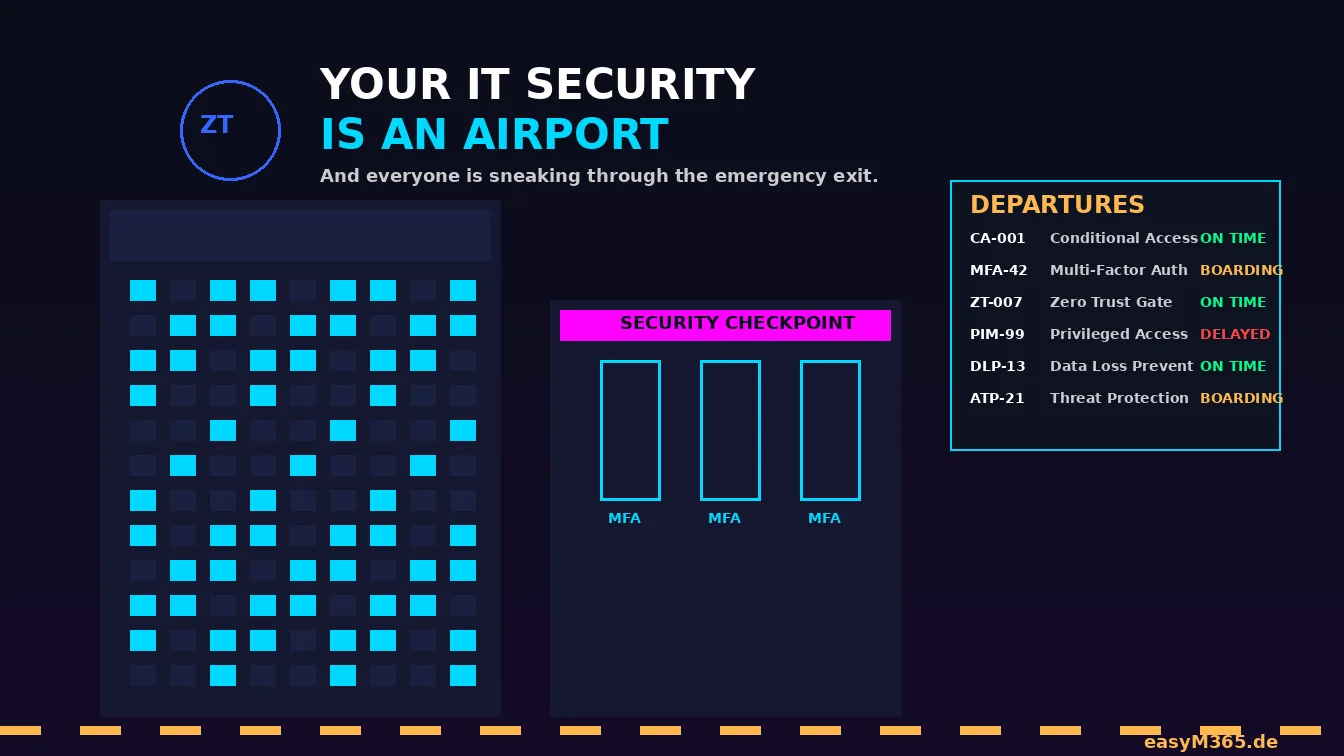
Inspired by a brilliant analogy from Cloudcook. Rewritten, extended, and adapted for the SMB reality I see every week.
The Analogy Nobody Asked For (But Everyone Needs)
Imagine your company is an airport.
Not a fancy one. Not Singapore Changi with the rooftop pool and the butterfly garden. Think more along the lines of a mid-size regional airport somewhere in Europe: one terminal, a Burger King that closes at 3 PM, and a security line that somehow manages to be both understaffed and overzealous at the same time.
Now imagine that airport has no security checkpoint. No boarding passes. No passport control. Just a big glass door that says "Welcome, please don't crash anything."
That's your IT environment without Zero Trust.
This is the heart of zero trust vs perimeter security: the old approach trusts everyone once they're inside the building, while Zero Trust in Microsoft 365 checks every traveler at every gate, every time.
And before you say "well, we have a firewall" — congratulations, you've built a fence around the airport parking lot. The planes are still unguarded.
The Cast: Who Runs This Airport?
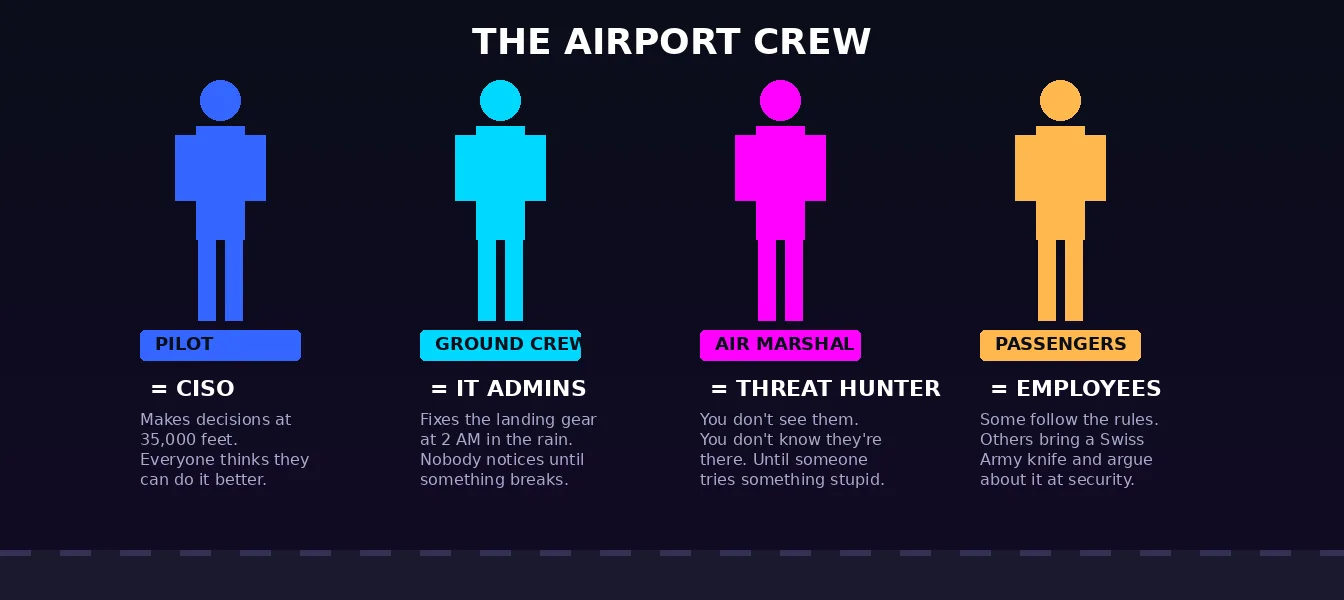
The CISO Is the Pilot
The CISO sits in the cockpit. They have the instruments, the training, and the authority to make decisions at 35,000 feet. They also have the most stressful job in the building, because every passenger (read: employee) thinks they know how to fly the plane better.
"Do we really need MFA? It's so inconvenient."
Yes. Yes, we do. In the same way you need both engines on a transatlantic flight. You can technically fly with one. You just shouldn't.
The IT Admins Are the Ground Crew
They load the luggage. They refuel the plane. They fix the landing gear at 2 AM in the rain. And nobody notices them until something goes wrong, at which point everyone has an opinion about how the luggage should have been loaded differently.
Your IT admins are the ones configuring Conditional Access policies, pushing Intune compliance baselines, and explaining — for the fourteenth time this quarter — why you can't just install whatever you want on your corporate laptop.
Respect the ground crew.
The Threat Hunters Are Air Marshals
You don't see them. You don't know they're there. But when someone tries to open the emergency exit at cruising altitude, they're the ones who handle it quietly before anyone else panics.
In IT terms, these are your SOC analysts, your Defender for Endpoint alert investigators, the people who look at that one suspicious sign-in from Lagos at 3 AM and decide whether it's a breach or just Peter from Marketing on vacation with a VPN.
(It's usually Peter.)
The Employees Are the Passengers
Some follow the rules. They show their boarding pass, take off their shoes, put the laptop in a separate tray, and don't complain about the body scanner.
Others bring a 2-liter bottle of water through security, argue about whether their Swiss Army knife "really counts as a weapon," and try to board the plane through the catering entrance because the line was too long.
You know these people. They're the ones who click on the phishing link, share their password with a colleague "just for today," and forward the CEO fraud email to Finance with the note "Hey, can you process this? Looks urgent."
The Security Checkpoint: Where Zero Trust Actually Happens
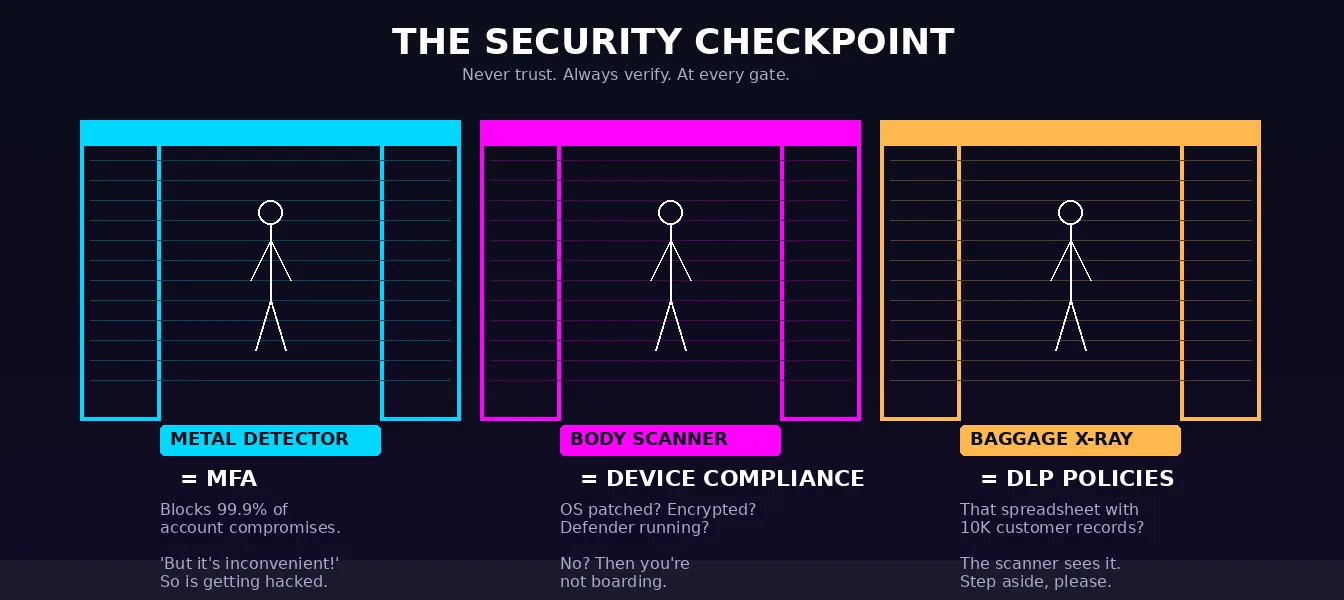
Here's the thing about airport security: it doesn't trust you just because you bought a ticket.
You bought a ticket? Great. Now show your ID. Now put your bags through the scanner. Now walk through the metal detector. Now explain why you have four power banks and a jar of Nutella in your carry-on.
That's Zero Trust. Never trust. Always verify. At every gate. Every time.
The Boarding Pass = Your Identity
In the Microsoft 365 world, your boarding pass is your Entra ID account. It says who you are, where you're going (which apps you can access), and what class you're flying (what license you have).
But a boarding pass alone doesn't get you on the plane. You still need to clear security. That's Conditional Access.
The Metal Detector = MFA
Multi-Factor Authentication is the metal detector. It's not perfect. It won't catch everything. But it catches a lot. Microsoft's own research shows that MFA can block more than 99.2% of account compromise attacks. (You will often see 99.9% quoted. That is a different statistic and the two get mixed up constantly: Microsoft reports that more than 99.9% of compromised accounts did not have MFA enabled.)
And make it the right kind of metal detector. Microsoft's own position is that traditional MFA is no longer enough and phishing-resistant MFA is the new baseline — SMS codes, email one-time passcodes and push notifications all get around by adversary-in-the-middle phishing and MFA fatigue. Passkeys, FIDO2 keys and Windows Hello for Business are the ones that hold.
And yet, in 2026, I still walk into SMBs where MFA is "optional" or "only for admins." That's like having a metal detector but only turning it on for pilots. The person most likely to cause a problem? They walked right through. For admins, incidentally, this is no longer a choice you get to make: since 2024 Microsoft has been enforcing mandatory MFA for Azure and admin portal sign-ins, tenant by tenant, with the second phase extending enforcement from October 2025. If your admins still sign in without it, that is not a gap you can postpone — enforcement arrives on your tenant whether you planned for it or not.
The Body Scanner = Device Compliance
Even if you pass the metal detector, you still go through the scanner. In IT terms, that's device compliance via Intune. Is your device managed? Is the OS patched? Is disk encryption enabled? Is Defender running? It starts even earlier, with Intune enrollment restrictions deciding which devices are allowed onto the management plane at all.
No? Then you're not boarding. You can stand at the gate all you want. The door stays closed.
The Baggage X-Ray = Data Loss Prevention
Your carry-on goes through the scanner. DLP policies do the same for your emails and files. That spreadsheet with 10,000 customer records that you're about to email to your personal Gmail? The scanner catches it. The alarm goes off. Someone in a uniform asks you to step aside.
Don't be the person who tries to sneak a prohibited item through the X-ray. The system is watching.
The Gates: Not Everyone Boards the Same Plane
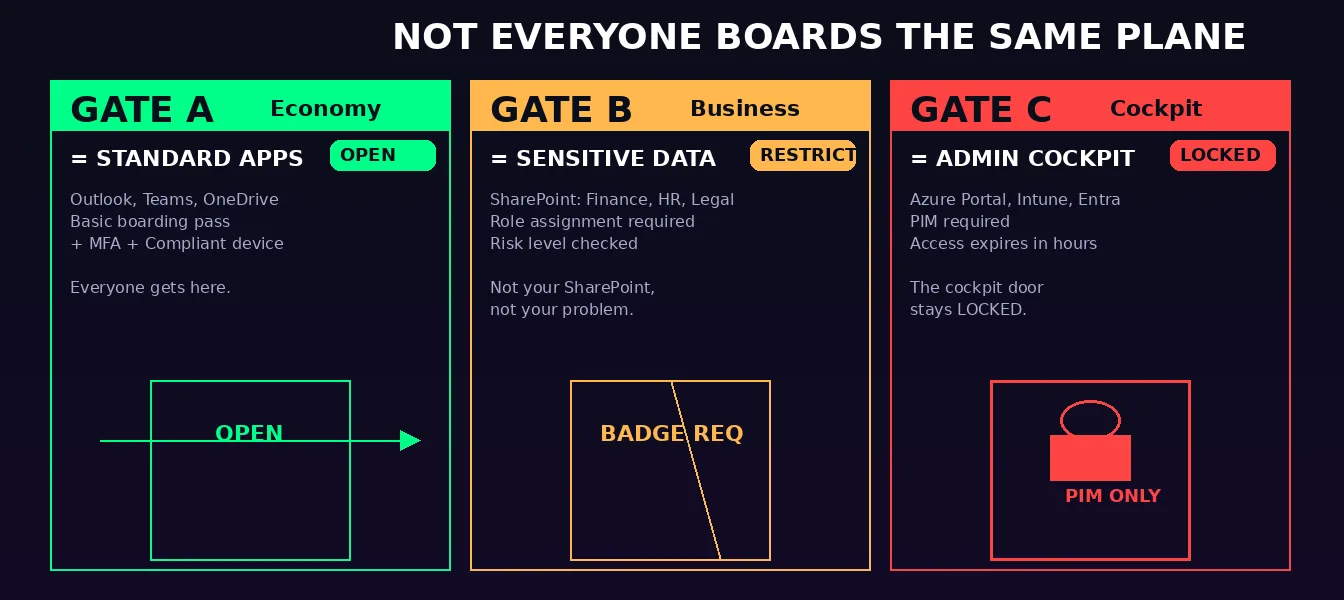
In a real airport, your boarding pass gets you to your gate. Not all gates. You can't wander into the first-class lounge with an economy ticket (well, you can, but they'll find you).
This is least privilege access. In Microsoft 365:
- Gate A (Standard Apps): Outlook, Teams, OneDrive. Everyone gets here. Basic boarding pass + MFA + compliant device.
- Gate B (Sensitive Data): SharePoint sites with financial data, HR records, legal contracts. You need a specific role assignment. Conditional Access checks your risk level.
- Gate C (Admin Cockpit): Azure Portal, Intune, Entra ID admin center. This is the cockpit door. It stays locked. You need Privileged Identity Management (PIM) to even request access, and that access expires after a few hours. No permanent admin accounts. Ever.
The number one mistake I see in SMB tenants: everyone is a Global Admin. That's not just an open cockpit door — that's handing every passenger the flight controls and hoping nobody pushes the wrong button.
The Emergency Exit Problem
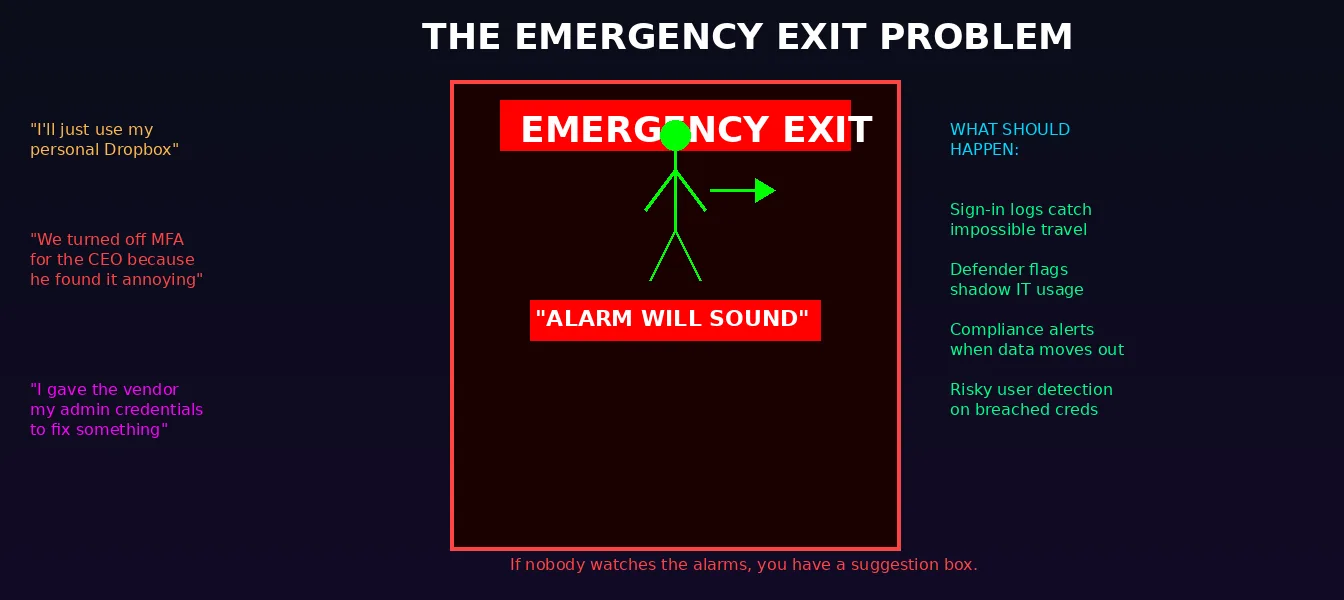
Every airport has emergency exits. They're legally required. They have big red signs. They say "ALARM WILL SOUND."
And yet, somehow, someone always opens one.
In IT, the emergency exit is the workaround. The shadow IT. The "I'll just use my personal Dropbox because OneDrive is too slow." The "I gave the vendor my admin credentials because they needed to fix something." The "We turned off MFA for the CEO because he found it annoying."
Every time someone opens that emergency exit, the alarm should sound. In Microsoft 365, that alarm is:
- Microsoft Entra ID Protection flagging atypical or impossible travel. The plain sign-in logs record where a sign-in came from; the risk detection that correlates two sign-ins into an impossible-travel verdict is an ID Protection feature and needs the corresponding license
- Defender for Cloud Apps flagging shadow IT usage
- Compliance alerts when sensitive data moves outside the perimeter
- Risky user detection when credentials appear in a breach database
If nobody is watching those alarms, you don't have security. You have a suggestion box.
The Duty-Free Zone: Where People Let Their Guard Down
Once you're past security, you enter the duty-free zone. You relax. You buy overpriced chocolate. You connect to the airport Wi-Fi without thinking twice.
In corporate IT, the duty-free zone is the internal network. The classic castle and moat security model says: "Once you're inside the firewall, you're trusted." And that's exactly how lateral movement works. An attacker gets one foothold — a phished credential, a compromised endpoint — and then moves freely because everything inside the perimeter trusts everything else. That is why perimeter security is obsolete the moment a single credential is phished.
Zero Trust eliminates the duty-free zone. There is no "inside." Every request is verified. Every session is evaluated. You don't get a free pass just because you cleared security once. This is the core of ZTNA vs VPN: a VPN hands you broad access to the whole network, while ZTNA with Microsoft Entra Suite verifies identity and device on every single connection and grants access to one app at a time.
Turbulence: Shared Responsibility
Here's the part nobody likes to hear.
When the plane hits turbulence, the pilot can't do everything alone. The crew secures the cabin. The passengers fasten their seatbelts. Everyone has a role.
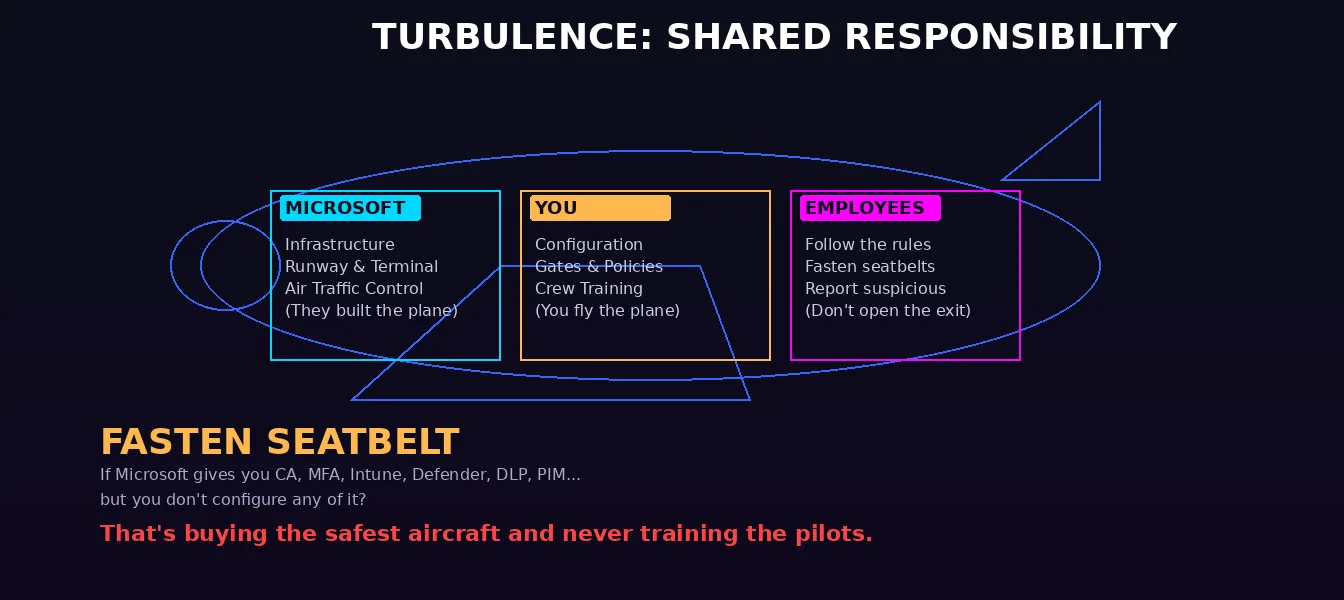
IT security works the same way. Shared responsibility isn't just a checkbox in your cloud provider's documentation. It's the reality that:
- Microsoft secures the infrastructure (the runway, the terminal, the air traffic control)
- You secure your configuration (the gates, the boarding policies, the crew training)
- Your employees follow the rules (fasten seatbelts, don't open the emergency exit, report suspicious behavior)
If Microsoft gives you Conditional Access, MFA, Intune, Defender, DLP, PIM, and Information Protection — but you don't configure any of it? That's like an airline buying the safest aircraft on the market and then never training the pilots.
The Black Box: Backups and Incident Response
Every plane has a black box. Not because anyone wants it to be used, but because when things go catastrophically wrong, you need to know what happened.
Your backups are your black box. And your incident response plan is the crash investigation team.
Too many SMBs I work with have neither. No M365 backup at all (because "Microsoft handles that, right?" — wrong). No documented incident response plan. No tested restore procedure. They're flying without a black box, hoping they'll never need one.
Spoiler: you'll need one. It's not a question of if. It's a question of when.
The Departure Board: Your Security Posture at a Glance
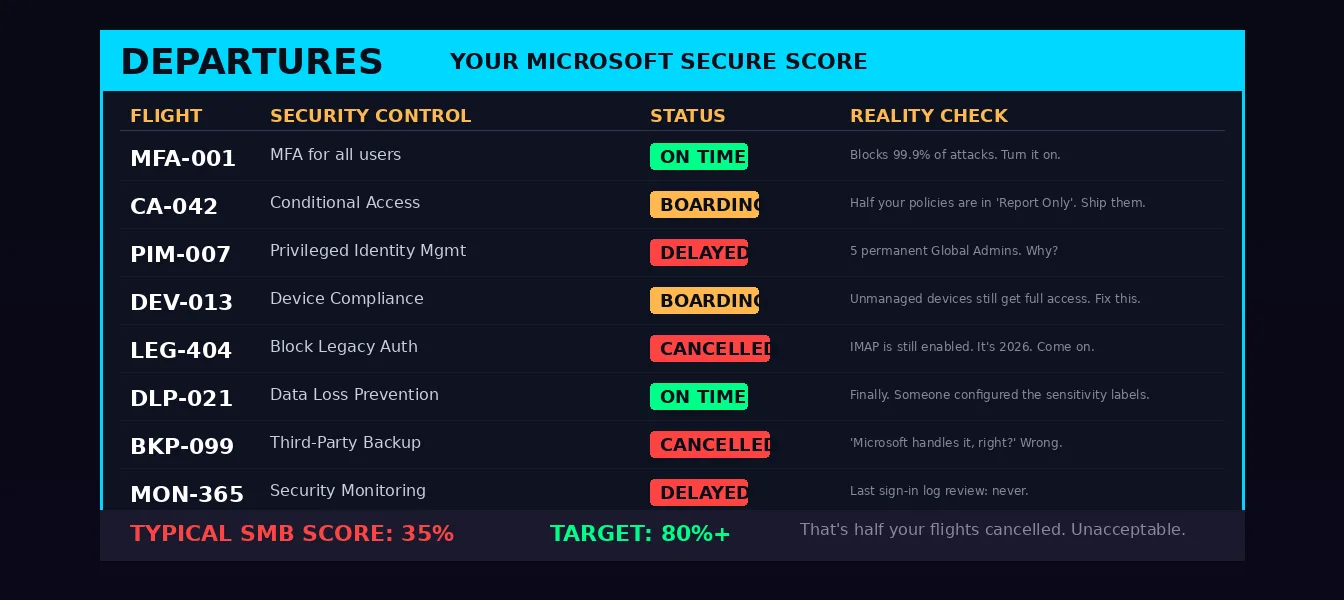
Every airport has a departure board. One place where you see the status of every flight. Green means on time. Yellow means boarding. Red means delayed or cancelled.
Your departure board is Microsoft Secure Score. It tells you, at a glance:
- Which security controls are active (on time)
- Which ones are partially configured (boarding)
- Which ones are missing entirely (delayed — or worse, cancelled)
Most SMB tenants I audit sit at 30-40% Secure Score. That's an airport where half the flights are delayed and the security checkpoint is staffed by one person who's also running the Burger King.
Resist the urge to set a target percentage, though — including the "north of 80%" I used to quote. Microsoft shows you the full set of possible recommendations for a product regardless of your license edition, subscription, or plan. So a Business Premium tenant is being scored against controls it cannot license, and 80% is not reachable for it by design. Microsoft is equally explicit that security has to be balanced with usability and that not every recommendation works in every environment — that is what the "Risk accepted" status is for. Track your own trend, work the ranked recommended actions, and ignore anyone else's percentage. Comparing scores across tenants tells you almost nothing.
The No-Fly List: Blocking Known Threats
Airports maintain no-fly lists. People who've been identified as threats don't get to board. Period.
In Microsoft 365, your no-fly list includes:
- Named locations in Conditional Access blocking high-risk countries
- Risky sign-in policies that block or challenge compromised credentials
- Attack simulation training identifying repeat phishing offenders (your Peter from Marketing)
- Legacy authentication protocols that should have been blocked years ago (IMAP, POP3, SMTP AUTH — the IT equivalent of letting people board with a handwritten ticket from 1987)
Two footnotes on that list. In Exchange Online the legacy-auth fight is largely over, because Microsoft finished it for you: Basic authentication was permanently disabled for Exchange ActiveSync, POP, IMAP, Remote PowerShell, EWS, OAB, Autodiscover and Outlook for Windows and Mac starting October 1, 2022, and SMTP AUTH was switched off in every tenant that was not using it. What is still on you in 2026 is a Conditional Access policy blocking legacy authentication clients tenant-wide, checking the sign-in logs for what is still trying, and finishing the migration of any remaining SMTP AUTH devices and line-of-business apps to OAuth 2.0 or Microsoft Graph.
And Attack simulation training is part of Defender for Office 365 Plan 2. Business Premium includes Plan 1, so that one is a license step up, not a checkbox.
So What's the Takeaway?
Your IT security is an airport. The question is: what kind?
Are you Singapore Changi — world-class, multi-layered, where every gate is monitored and every passenger verified? Or are you that regional airport where the security guard is asleep, the metal detector is unplugged, and someone just drove a luggage cart onto the runway?
Here's the minimum viable airport — the security controls you need today. This is the one place the analogy can send you into a wall, so I have split the list by what your licence actually gets you. Microsoft 365 Business Premium includes Microsoft Entra ID P1, which covers Conditional Access and device compliance. It does not include PIM, risk-based Conditional Access, or Identity Protection's risky sign-in and risky user policies. Those need Microsoft Entra ID P2 or Microsoft Entra ID Governance, and PIM is licensed per eligible admin, per approver and per access reviewer.
Everything in this first list works on Business Premium:
- MFA everywhere. No exceptions. Not even for the CEO. Especially not for the CEO. Phishing-resistant where you can.
- Conditional Access. Every access request gets evaluated. Device, location, app — all of it. (Risk as a condition is the P2 version; see below.)
- Device compliance. Unmanaged devices don't get full access. Period.
- Kill legacy auth. A Conditional Access policy blocking legacy authentication clients, tenant-wide. Today. Right now. Stop reading and go do it.
- DLP policies. Sensitive data doesn't leave the airport without going through the scanner.
- Separate, dedicated, MFA-hardened admin accounts. If you cannot license PIM, this is the substitute for a locked cockpit door: no daily-driver account holds admin rights, and you recertify who has them on a calendar.
- A real backup. Microsoft's retention is not a backup strategy. You now have a first-party option too — Microsoft 365 Backup, which Microsoft positions alongside the Recycle Bin and the 14-day support-initiated restore as offering longer protection and fast recovery from ransomware or malicious deletion. Choose between that and a third-party product on cost, retention and scope. Just get a black box.
- Monitor the alarms. Sign-in logs, Defender alerts, Secure Score. Check them. Weekly. Minimum.
And these are the upgrade, not the baseline — worth having, worth budgeting for, but do not go looking for them in a Business Premium tenant:
- No permanent admins. PIM with just-in-time access, the properly locked cockpit door. Entra ID P2 or Entra ID Governance.
- Risk-based Conditional Access, risky sign-in and risky user policies. Microsoft Entra ID Protection. Same licence step.
- Attack simulation training. Defender for Office 365 Plan 2.
You don't need a $500K SOC to do this. You need an afternoon, the right licenses, and someone who knows which buttons to push.
And if you're not sure which buttons those are — that's literally what I do.
Fly safe.
Frequently Asked Questions
What's the difference between Zero Trust and perimeter security?
Perimeter security trusts anything inside the network — the old "castle and moat" model — so one breached credential lets an attacker move laterally. Zero Trust assumes breach and verifies every request: identity, device, location, and risk, every time. There is no trusted "inside." That's why perimeter security is increasingly obsolete for cloud and hybrid work.
Is Zero Trust the same as ZTNA?
Not quite. Zero Trust is the overall security model ("never trust, always verify"). ZTNA (Zero Trust Network Access) is one component — it replaces broad VPN access with per-application access based on identity and device posture. ZTNA is how you apply Zero Trust principles to network access specifically.
What's the minimum Zero Trust setup for an SMB?
On Microsoft 365 Business Premium, which includes Entra ID P1: MFA everywhere (phishing-resistant where you can), Conditional Access on every request, device compliance via Intune, a Conditional Access policy blocking legacy authentication, DLP, separate MFA-hardened admin accounts, a real backup, and a weekly look at sign-in logs, Defender alerts and Secure Score. PIM with just-in-time access, risk-based Conditional Access and Identity Protection need Entra ID P2 or Entra ID Governance — worth budgeting for, but not part of the Business Premium baseline. You don't need a large SOC to cover the basics.